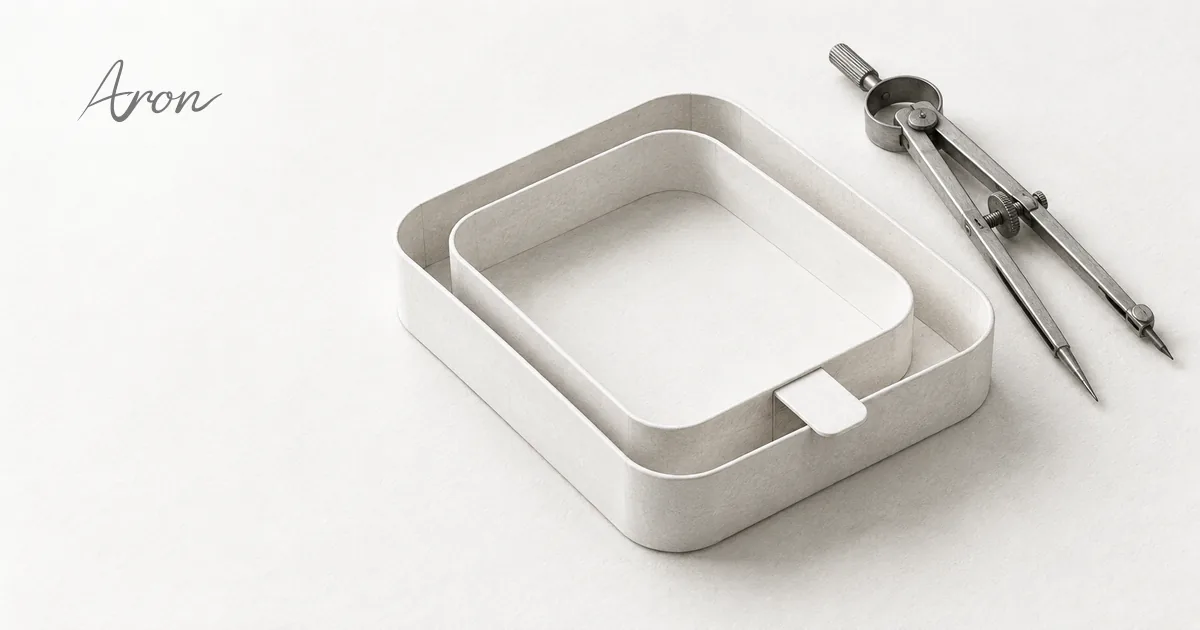
When a shell encloses a panel or a track holds a selection insert, much of the precision sits in a gap only a few pixels wide. Continuity around a corner and breathing room for text need separate measurements.
I start with container offsets and curves, then move to segmented controls, shared seams and progress tracks. The reasoning carries across scales; the dimensions still belong to each specimen.
This article has been reorganized and expanded from the original essay. Specimen values describe their particular conditions, not universal settings. For the series context and tools, see the overview.
Enclosure and corners
Measure the narrow gap and content space separately
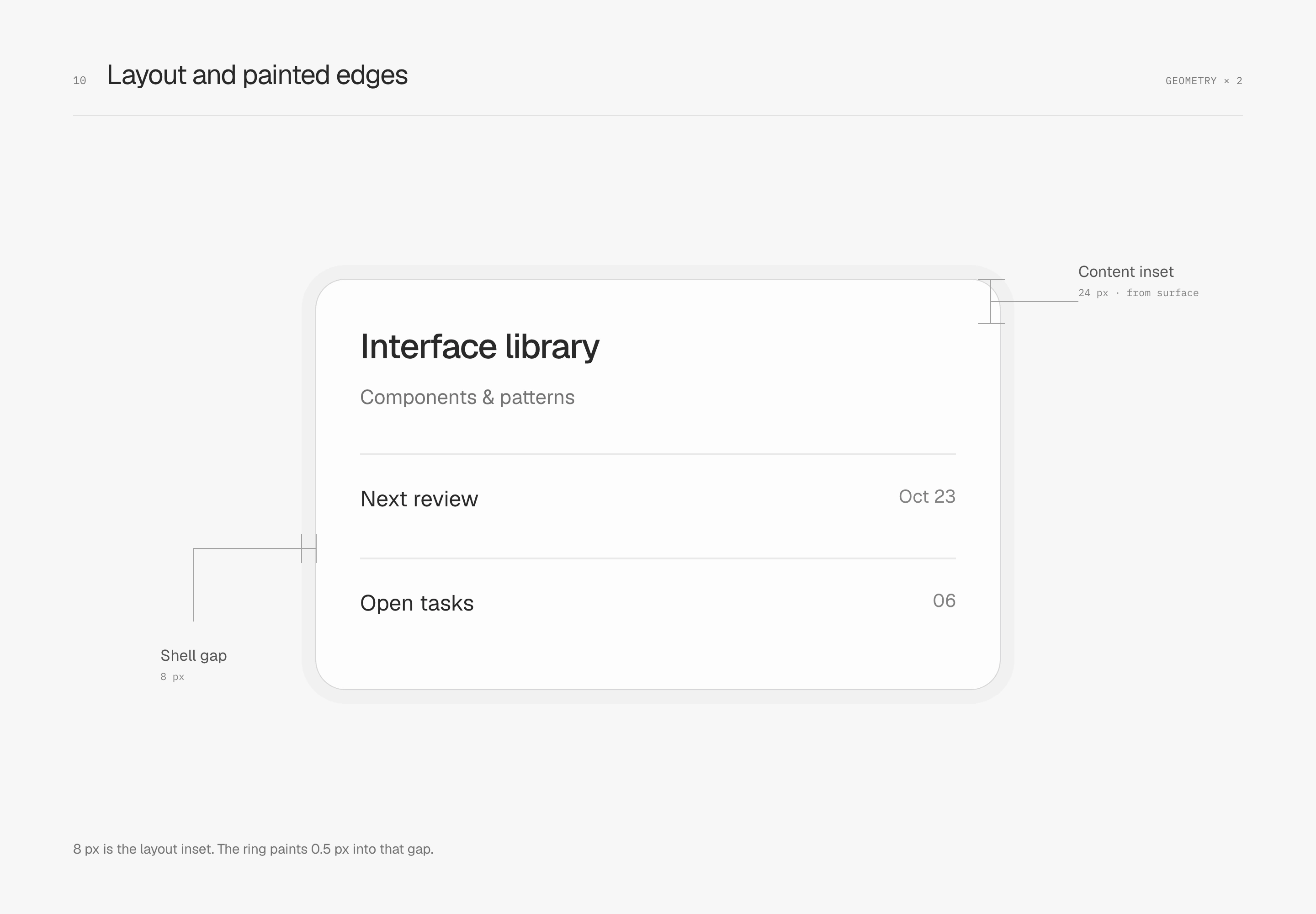
Enclosure involves two kinds of padding: the narrow gap from shell to panel and the space from panel to content. Here they are 8 px and 24 px. The first sets the closeness of the seam; the second gives headings and information rows room to breathe.
An outer ring takes no layout space. The panel still sits at 8 px of layout padding, but its 0.5 px ring paints outward into the gap, leaving about 7.5 px of visible shell along straight edges. The 24 px content padding starts at the panel surface boundary, with no physical border to subtract.
Let the corners follow the same offset
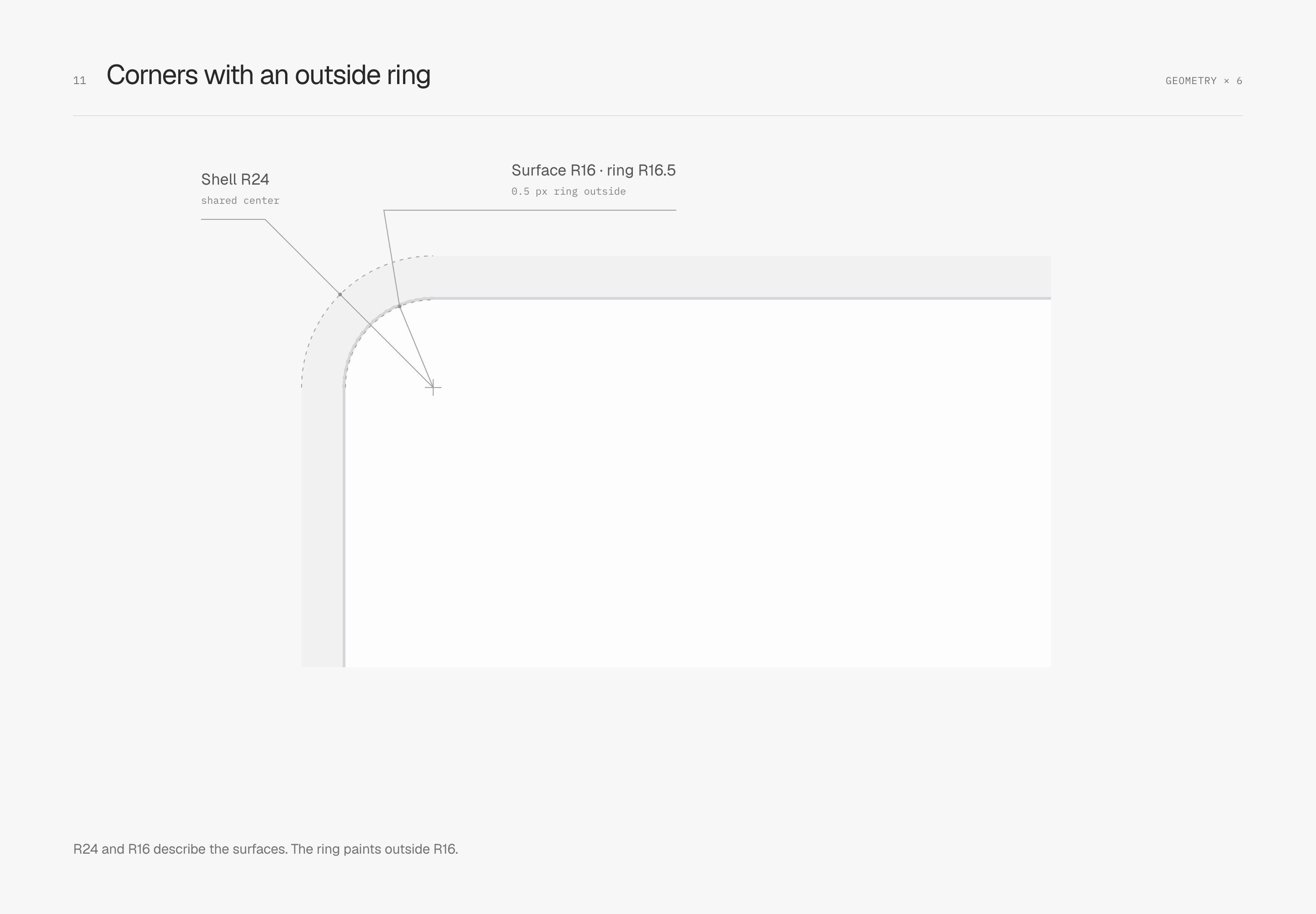
The nested radii in this evenly inset example are R24, 8 px padding and R16. Their arc centers coincide, keeping the gap continuous through the corner. This subtraction applies to the illustrated equal-offset geometry with no physical border; it is not a fixed formula for every container.
The panel's 0.5 px outer ring has a painted outer radius of R16.5. The surface itself remains R16, and content still begins from the original surface boundary. Be clear about which edge defines layout and which marks the painted extent.
Join curvature to the straight edge too
Radius determines how much space a corner occupies, but the junction has another property: how curvature changes as a straight edge enters a curve. A circular arc can have tangent continuity with a straight edge, matching its direction. Curvature, however, jumps from zero on the straight edge to a constant value on the arc.
Curvature continuity also addresses this change. The cubic Bézier curve on the right reaches zero curvature at the junction, joining the straight edge's curvature. Both examples keep the same bounding dimensions, fill, stroke and 32 px corner region. Only the corner curve changes.
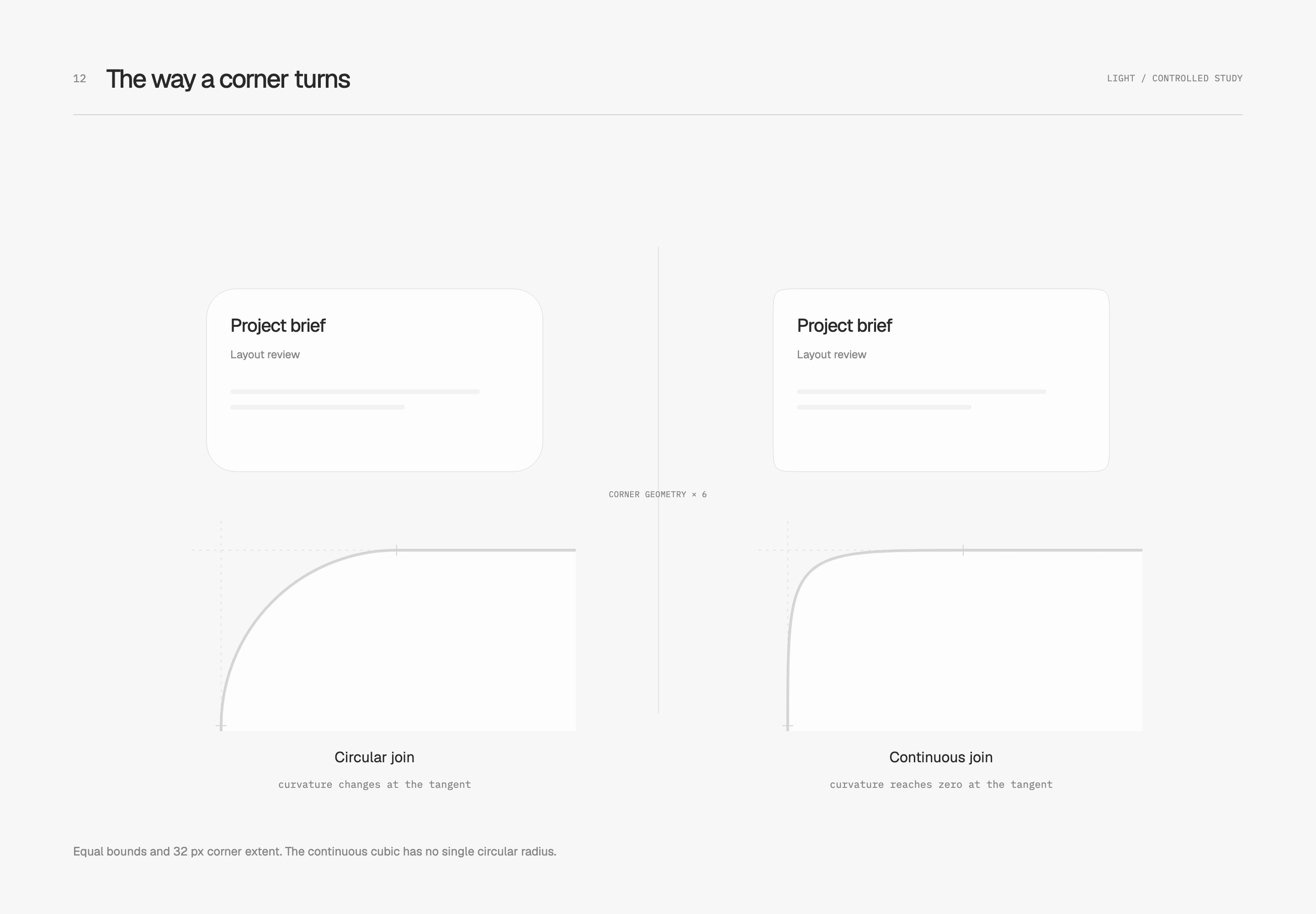
The 32 px means different things here: the left is an R32 circular arc; the right specifies where the curve starts turning, without a single center or fixed radius. The right is this specimen's simplified Bézier model. Within nested containers, its inner and outer gaps need fresh inspection; circular-radius subtraction cannot simply be carried over.
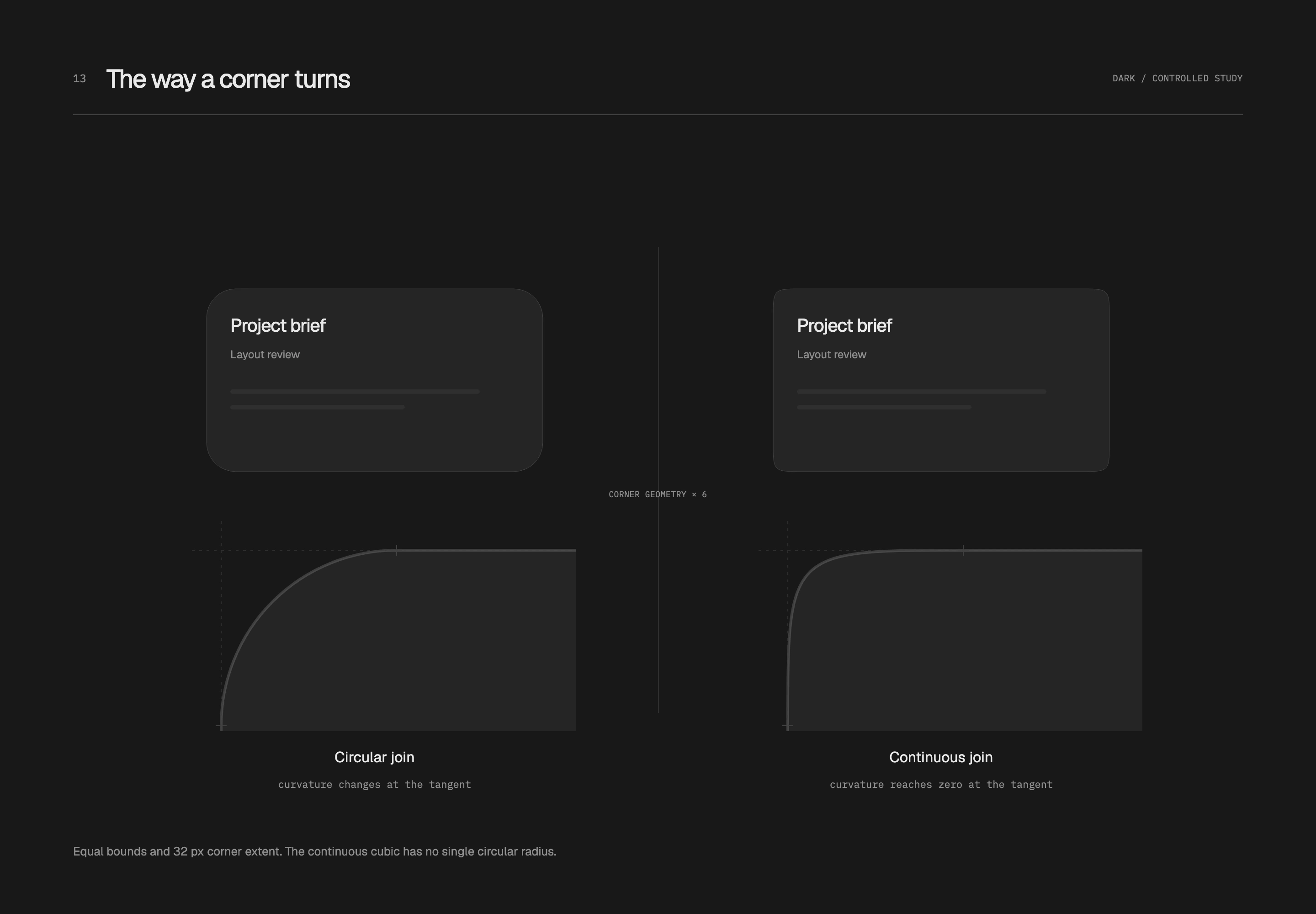
I return to the full silhouette to judge it. Although the right curve joins continuously, its bending is more concentrated and its appearance squarer. Whether it suits the interface depends on proportions, space and adjacent components. Here it explains a junction; the final workspace retains its original circular corners.
Fitted components
Let the track and selection insert work together
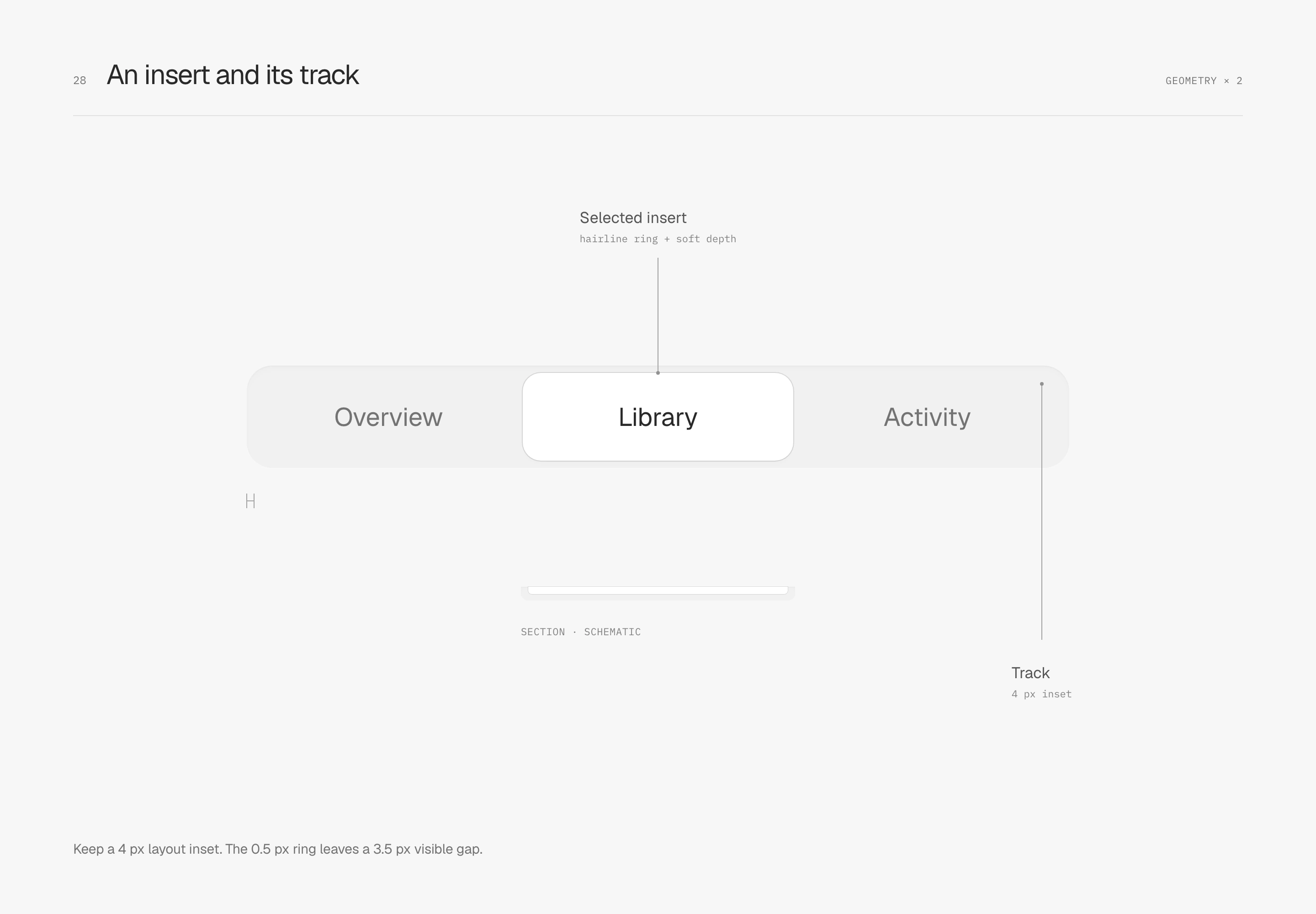
A segmented control keeps its track continuous while a white selection insert uses its own ring and short shadow to identify the current option. This specimen gives the track only a faint inset shadow. The white insert inherits the contour and two depth layers in the surfaces article, with no added inner light.
The track is R14 with 4 px padding; the insert is R10. As with the large panel, 4 px is a layout distance. Once the 0.5 px ring paints outward, about 3.5 px of gray remains visible along straight edges. I like the feeling of a part fitted into a track without raising it far above the surface.
Leave one seam within a shared control
A shared seam places the date and arrow inside one outer shape, using a single 1 px internal divider rather than overlapping two separate contours at their join. The divider retreats 8 px from the top and bottom, with slightly rounded ends. It separates action areas without needing to reach the outer frame.

A progress track has its own enclosure
A recessed track brings the same relationship to a smaller scale: a 6 px-high R3 outer track with 1 px padding holds a 4 px-high R2 fill. The 75% value uses the available width after padding is removed, leaving base color around the endpoints.

Only a short dark shadow remains along the track's upper inner edge, with a very faint material highlight on the fill. Its role is limited to this small part; it does not become a white inner light on every solid panel.
A container and its parts fit when distance, curvature, and room for content work together. Before borrowing these values, inspect the visible gap, then check text, targets, and different sizes. Geometric consistency should not come at the expense of content.