Putting text in the right box solves only part of the layout. Visible letterforms, digit widths and icon weight still determine whether a row feels steady.
I start with wrapping and changing values, then examine glyphs, mixed scripts and icons. The numbers below belong to fixed specimens and need another look when fonts, languages or content change.
This article has been reorganized and expanded from the original essay. Specimen values describe their particular conditions, not universal settings. For the series context and tools, see the overview.
Wrapping and values
Let wrapping participate in the composition
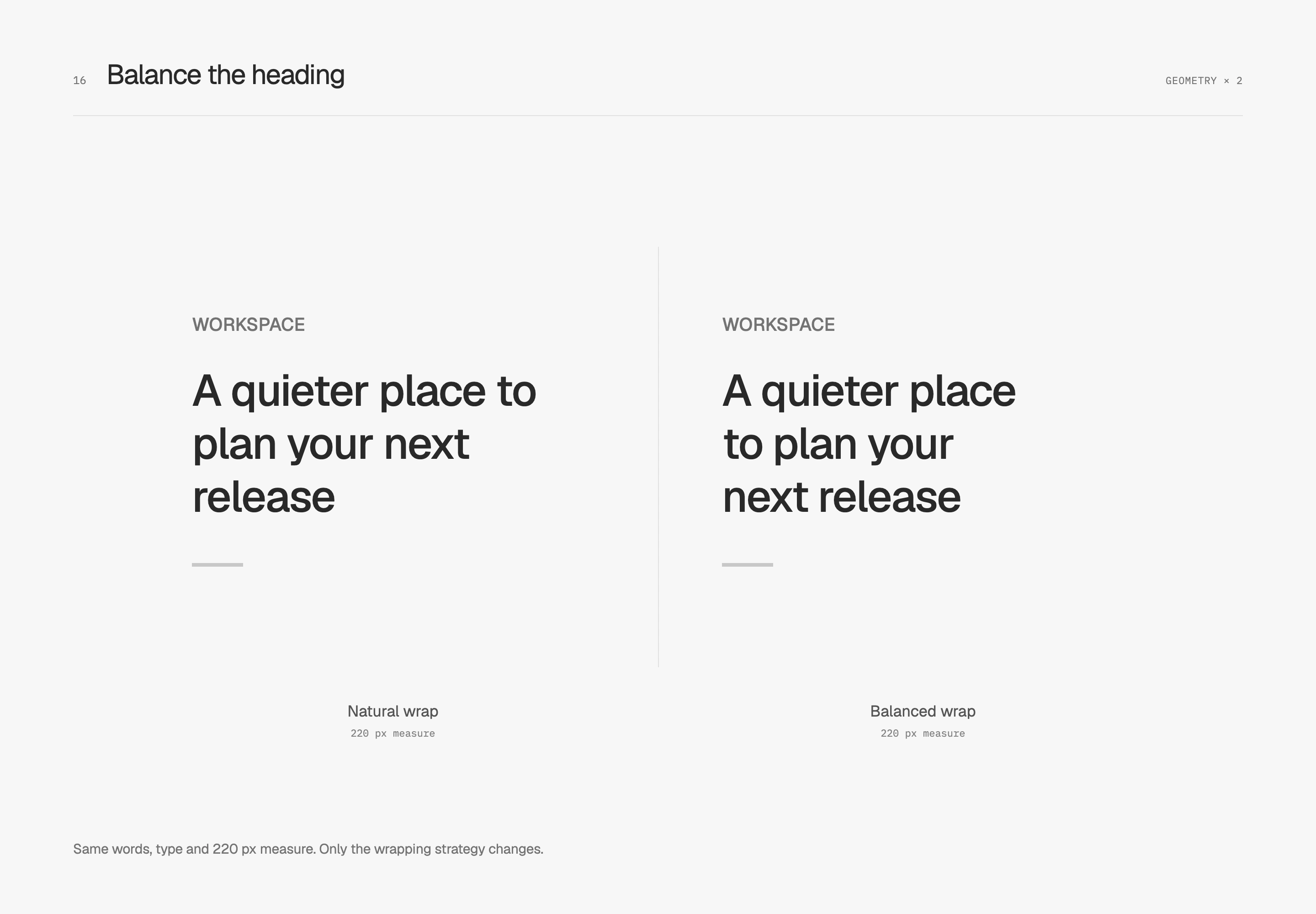
A very short final word in a heading can leave the surrounding space weighted to one side. Balanced wrapping redistributes text within the available width to bring line lengths closer together. This comparison fixes the 220 px line width, copy, font size and tracking, changing only wrapping.
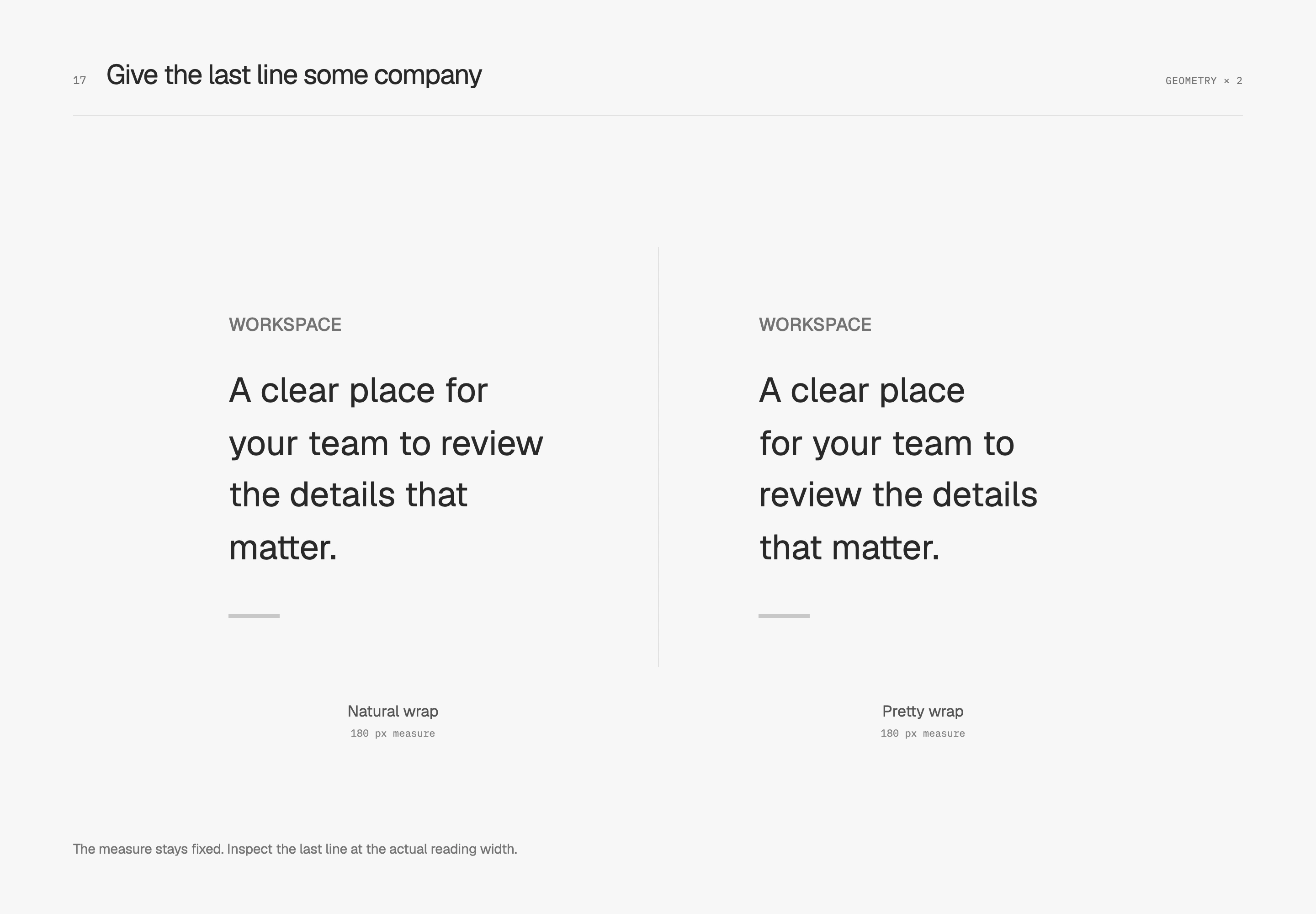
Short descriptions need not give every line equal weight. I care more about avoiding a very short final line while retaining natural variation. Pretty wrapping gives the browser an opportunity to rearrange breaks. The next comparison also fixes the text and line width.
These choices need the actual copy. A heading has semantic pauses, and a paragraph needs an appropriate reading width. English words and Traditional Chinese punctuation have different break rules, and browser results can differ too. I first give the container reasonable flexibility, inspect narrow screens and longer translations, then decide whether balanced or pretty wrapping helps.
Keep each digit steady when numbers update
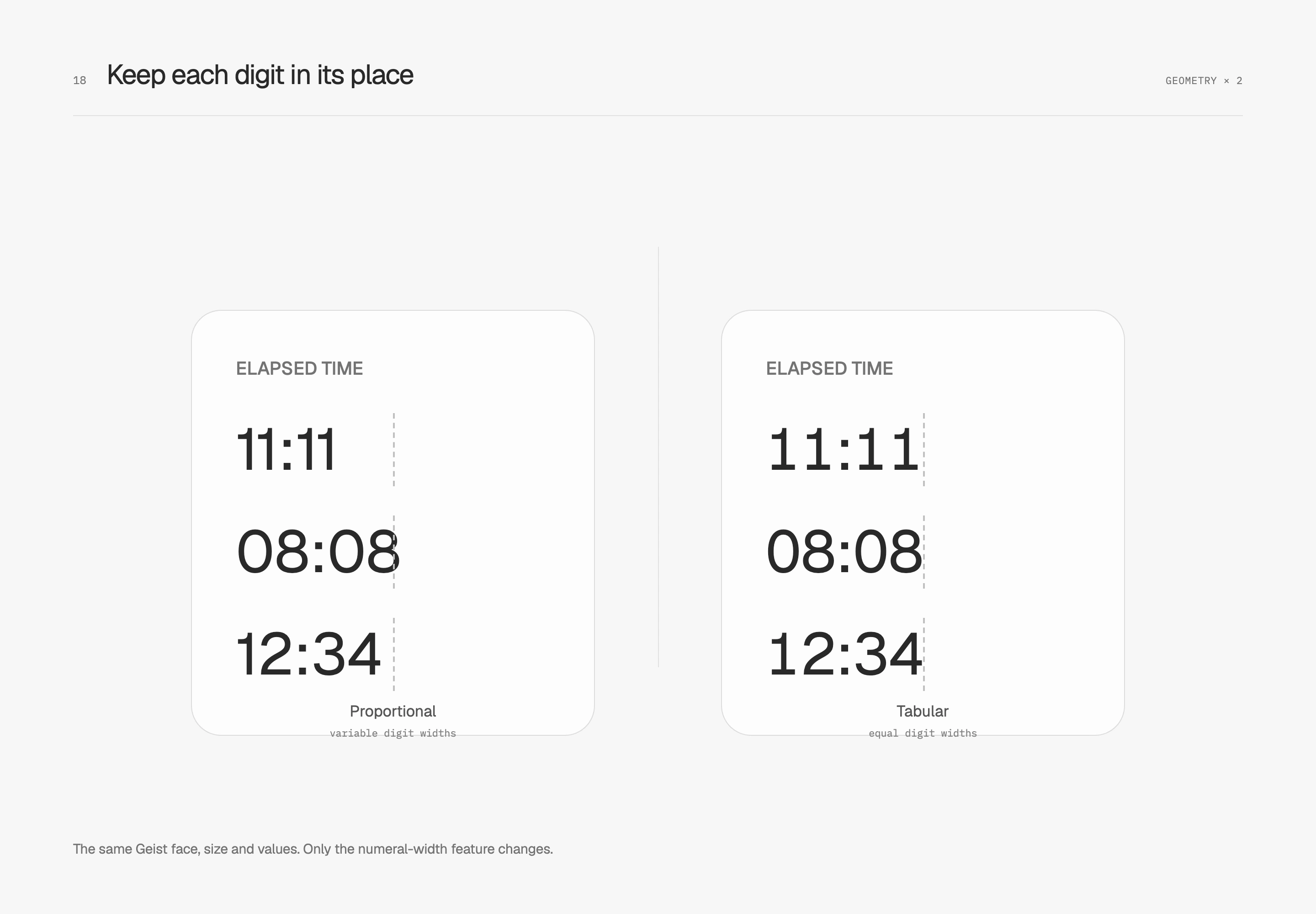
When a timer moves from 11:11 to 08:08, different glyph widths can change the weight of the whole string. Tabular figures give each digit equal width, useful for updating values, counters and numeric columns that need to be scanned.
The main numbers on both sides use Geist at the same size with the same content; only proportional versus tabular figures changes. The small annotations use a separate monospace face and are outside this digit-width comparison.
Reserve room for more digits
Equal digit widths do not keep the whole string from growing. Moving from 9 to 99 to 100 still adds characters. Both sides below already enable tabular figures. The right then reserves three digits and right-aligns the value, keeping the following description at a fixed origin.
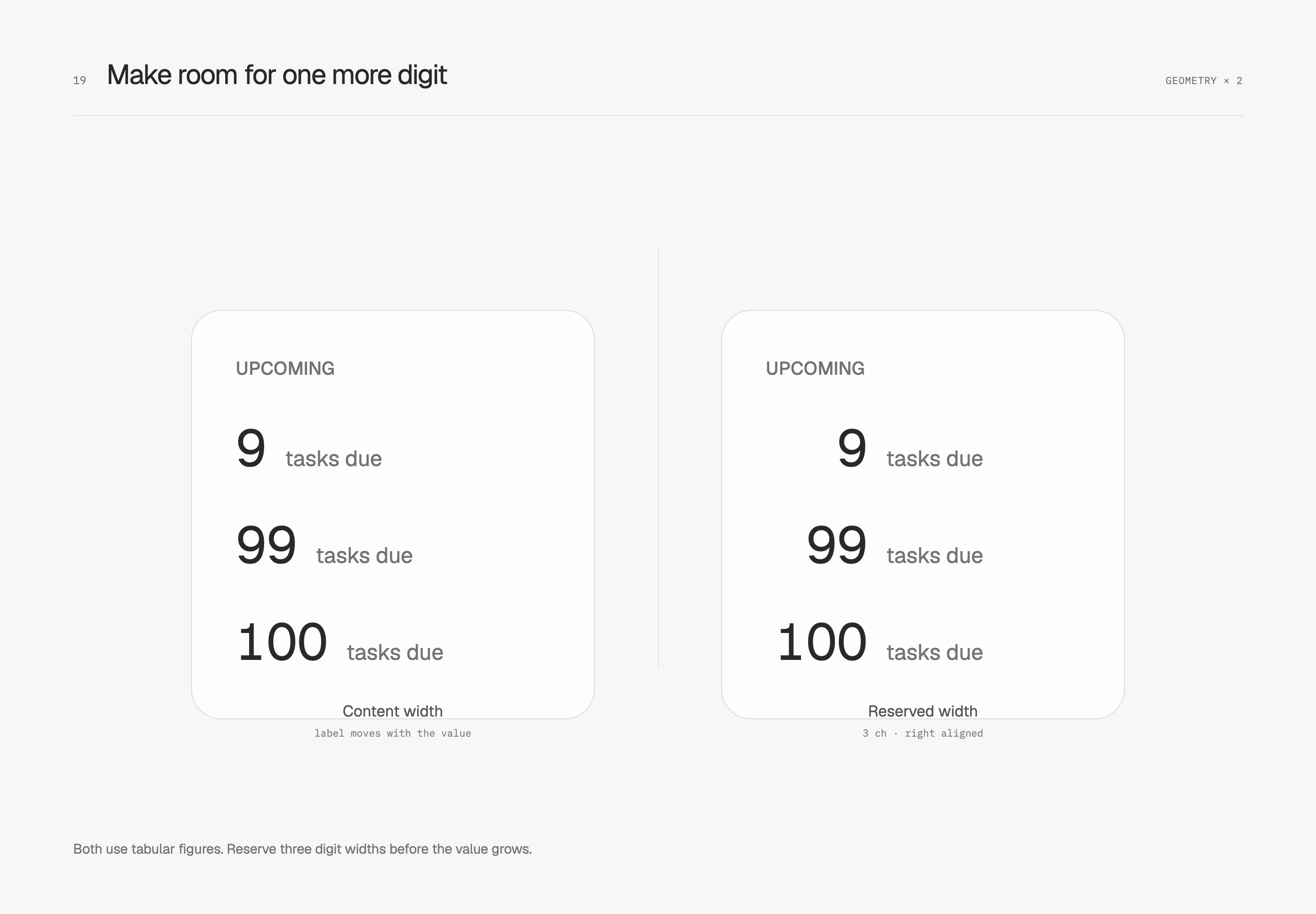
Three digits reflect this counter's expected range. Thousands separators, negative signs and larger values need new space; dates, countdowns and percentages each have their own longest format. I let numbers change within their reserved area while nearby text and actions stay settled.
Align amounts by the decimal point
For quick comparison within a money column, precision, digit widths and alignment need to work together. This study includes negative values, fixes precision at two decimal places, uses tabular figures and changes only alignment. Right alignment puts decimal points and units digits on shared vertical lines.
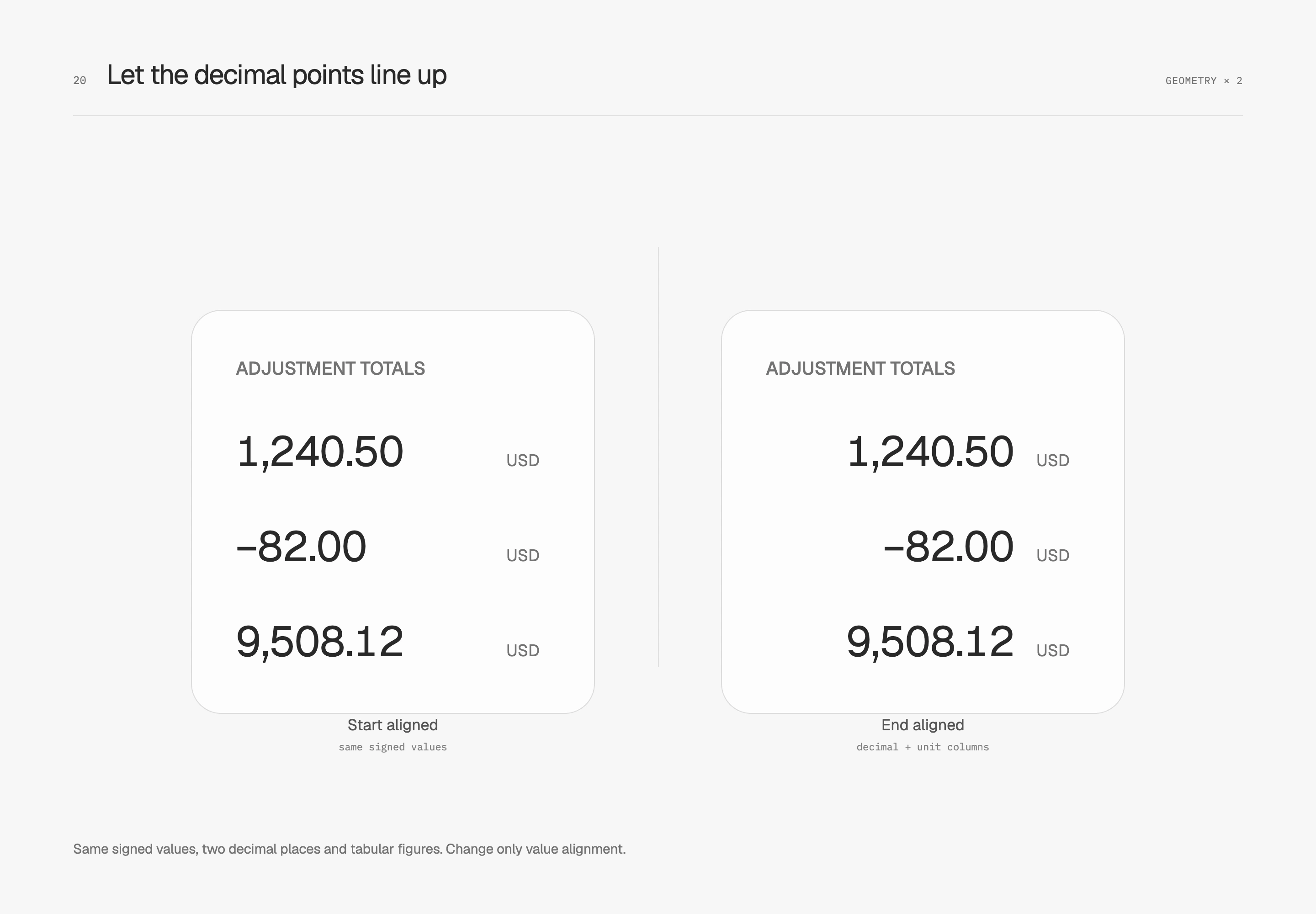
Units occupy a separate, quieter column at a fixed distance from the amounts. Matching precision allows the decimal points to align here. If a column must mix decimal precision, integer and fractional parts need separate arrangement. Keep the minus sign within the value; do not remove it for alignment. Tabular figures are a starting point, and the actual font's kerning can still affect the result. I check the same positive and negative amounts rather than only whether the feature is enabled.
Letterforms and icons
After centering, inspect the visible shape
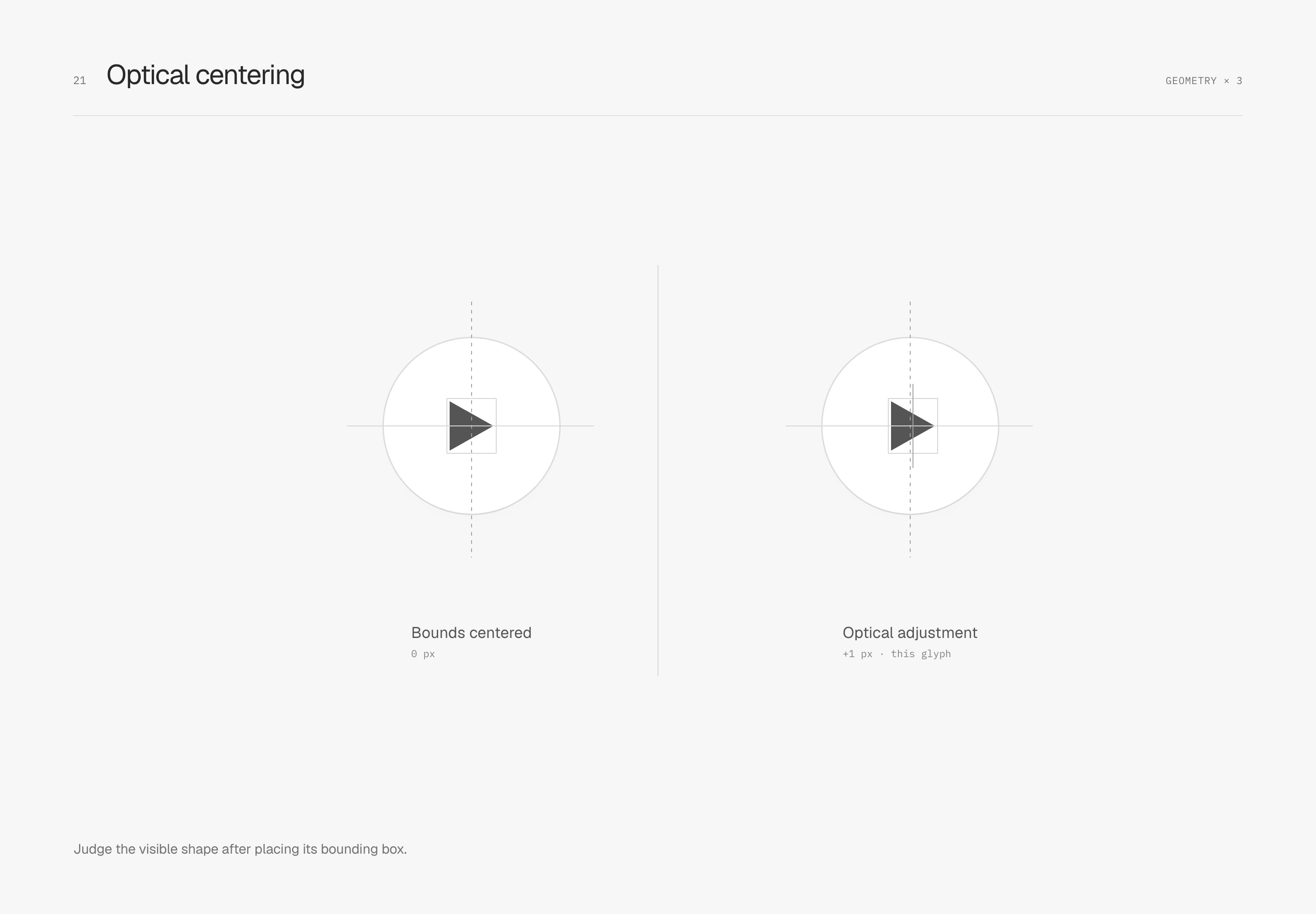
Optical centering considers the weight of the visible shape. A right-pointing triangle has more area on its left, so centering its bounding box may still make it appear left-heavy. Here the button remains fixed and the same triangle shifts right by 1 px. That value belongs to this triangle; another icon needs fresh judgment.
After centering the text box, inspect the letterforms
A text layout box includes space reserved above and below the visible letters. Even after flex centering, button text may appear slightly high or low. This study keeps Save, the typeface and line height identical. The left retains the line box; the right trims the top and bottom to cap height and baseline before placing it in a button of the same height.
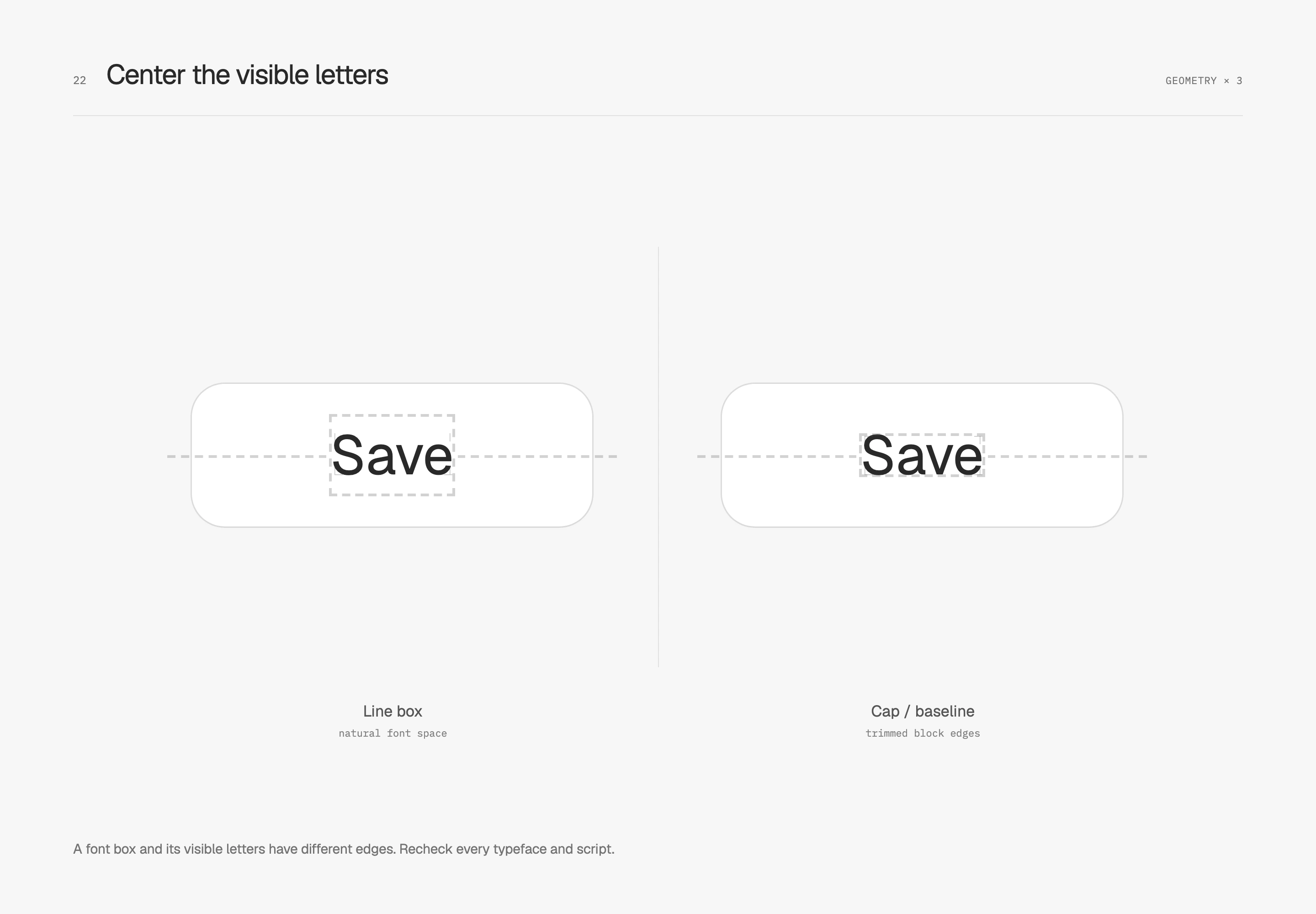
Text-box trimming lets this space be handled using font edges. The small corner marks and centerlines make the difference visible. In use, inspect ascenders, descenders and adjacent icons too. Traditional Chinese, kana and Korean need judgment against their own typefaces; English cap/baseline values cannot stand in for optical centering in every language. Unsupported environments retain the original text-box layout.
Look at the character face before arranging mixed scripts
Han characters, kana, Hangul and Latin letters can look different in size at the same 24 px. Type size measures a frame; the visible character face occupies part of it. Its proportions and position depend on the font, weight and actual string. With an icon beside the text, I look at the visible pairing as well as the centers of its boxes.
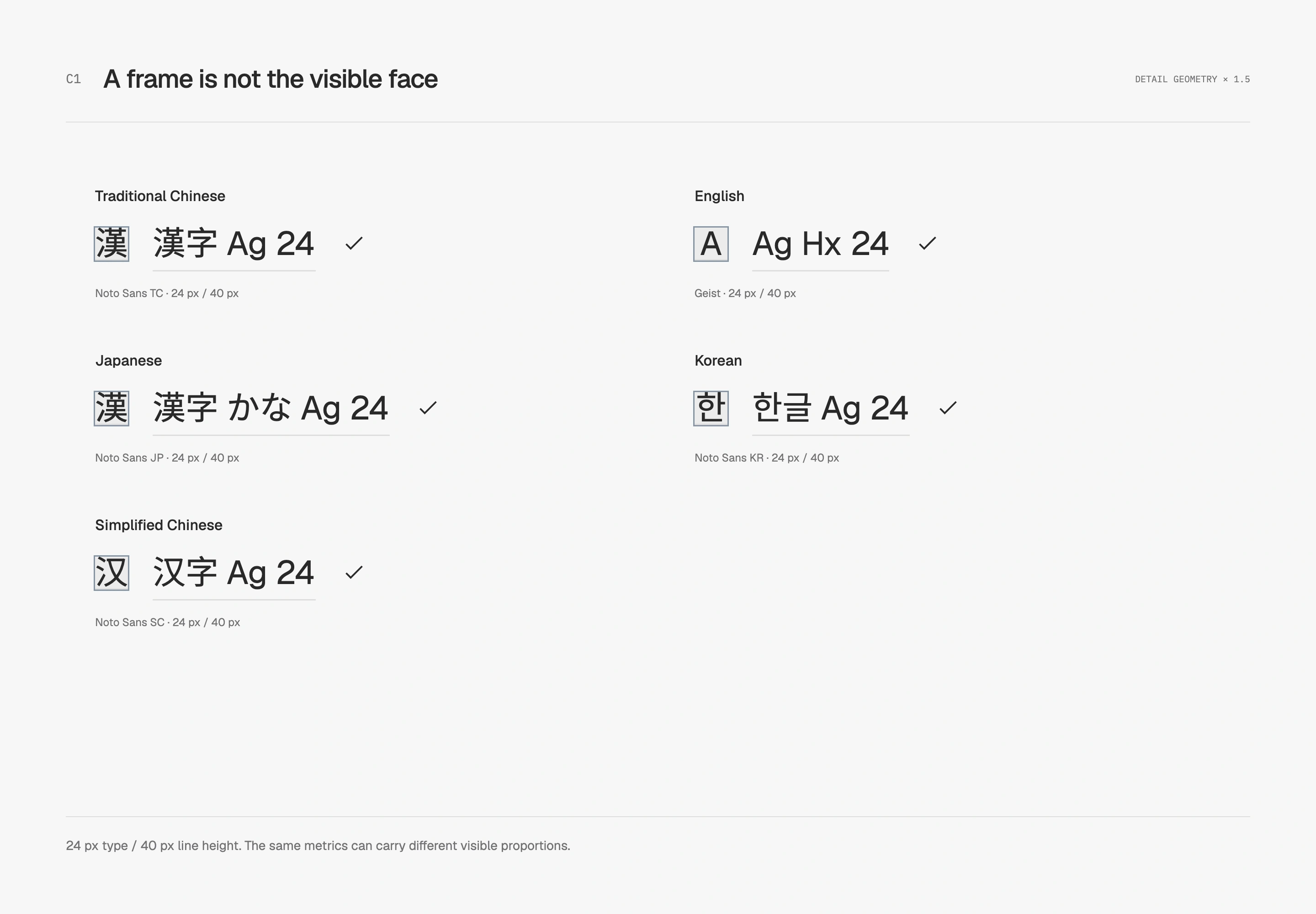
The content language and fallback order belong in that decision. Chinese, Japanese and Korean need appropriate regional glyphs, and several fonts may supply one mixed string. A computed family name alone cannot identify the face behind every glyph. W3C’s Chinese layout requirements discuss both regional differences and character faces.
The earlier cap/alphabetic trim explains that particular Latin label. Ideographic edges offer another area to investigate for CJK, subject to actual font metrics and engine support. Mixed letters, digits and superscripts need checking together. Keep normal text boxes as the fallback rather than turning a Latin specimen’s offset into a rule for every language.
Consider spacing, punctuation and breaks together
Whitespace comes from different mechanisms. Tracking adjusts space between characters; inter-script spacing handles adjoining Han/kana and Western letters or digits; punctuation spacing includes the space inside punctuation characters. Tightening an entire passage cannot make each of these decisions independently.
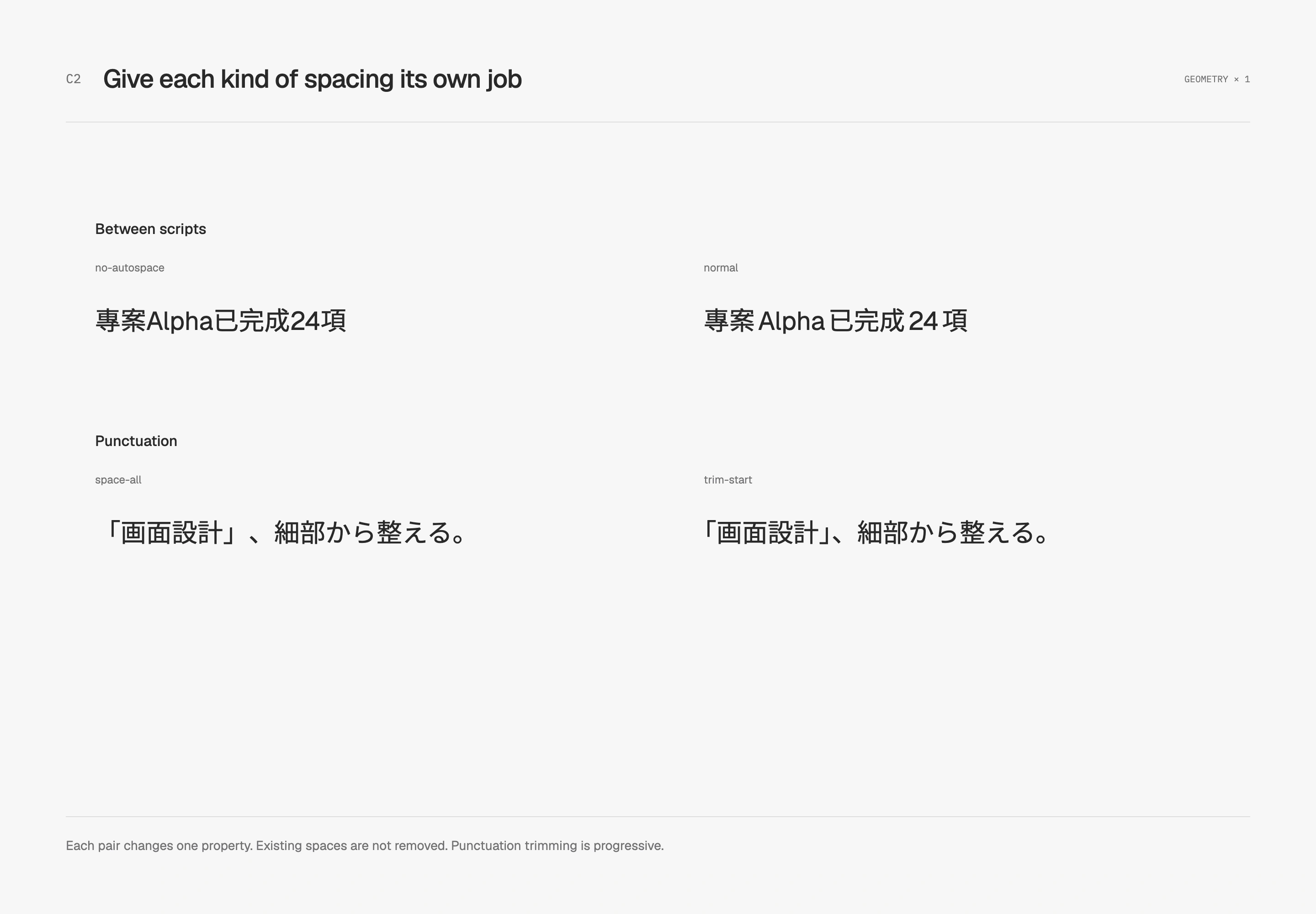
text-autospace can insert spacing during layout without changing the content; review existing literal spaces before adopting it. text-spacing-trim handles some internal CJK punctuation space, a different task from trimming the top and bottom of a text box. Check support separately, and consider Korean word-spacing conventions on their own terms. CSS Text defines the separate mechanisms.
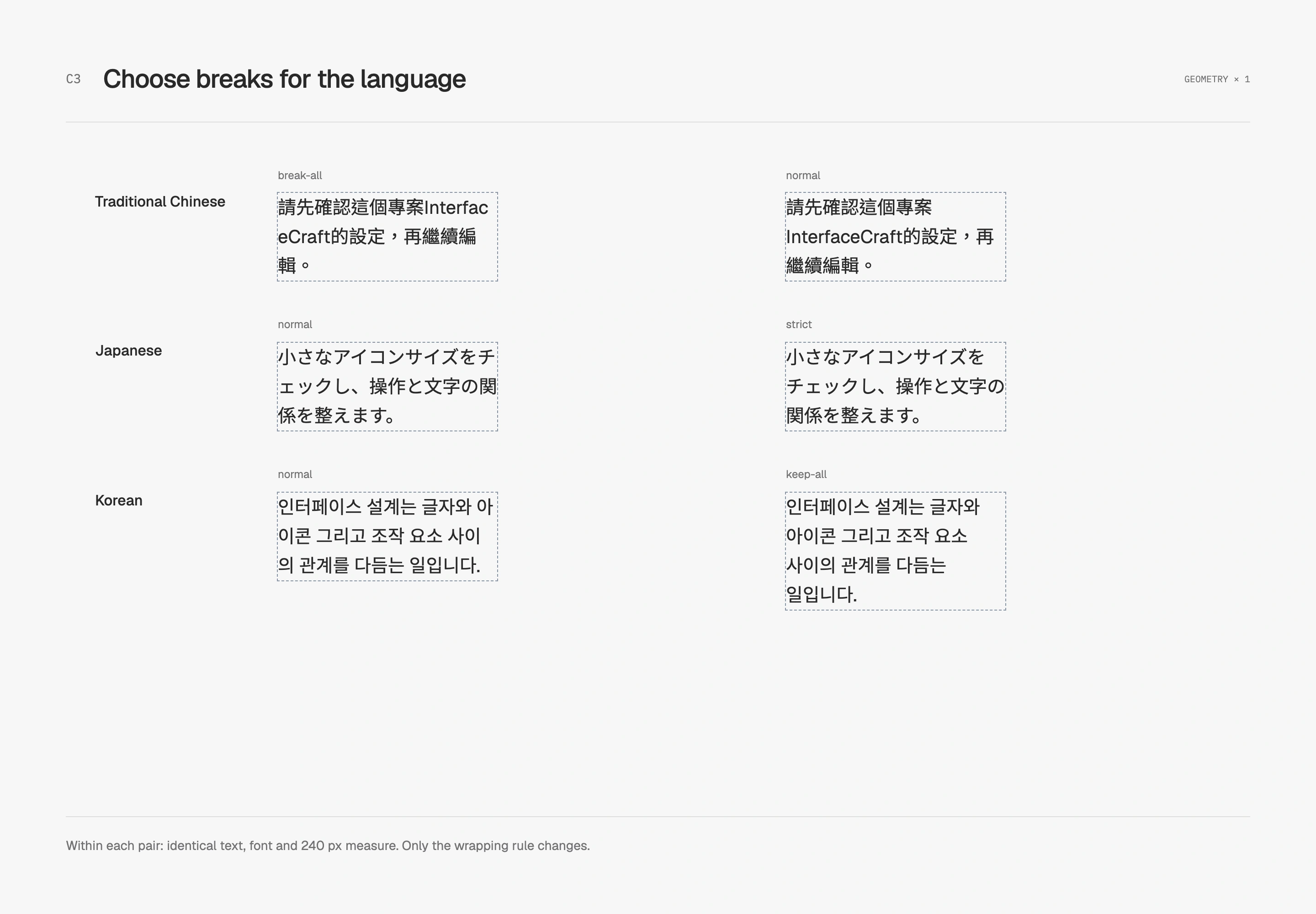
I start narrow-layout checks with real headings, descriptions and longer translations. The Chinese specimen keeps InterfaceCraft together, Japanese examines small-kana restrictions, and Korean compares syllable-based and word-based wrapping. Each needs its own judgment. Check body leading, short labels and multi-line headings separately, and let containers grow when readers enlarge the text.
Tune icon-side padding to the visible weight
Once an arrow joins the text, the space around it contributes to the whole group's weight. This study fixes text, shape, gap and vertical padding. Only the icon-side horizontal padding changes from 16 px to 14 px, tightening the group slightly.
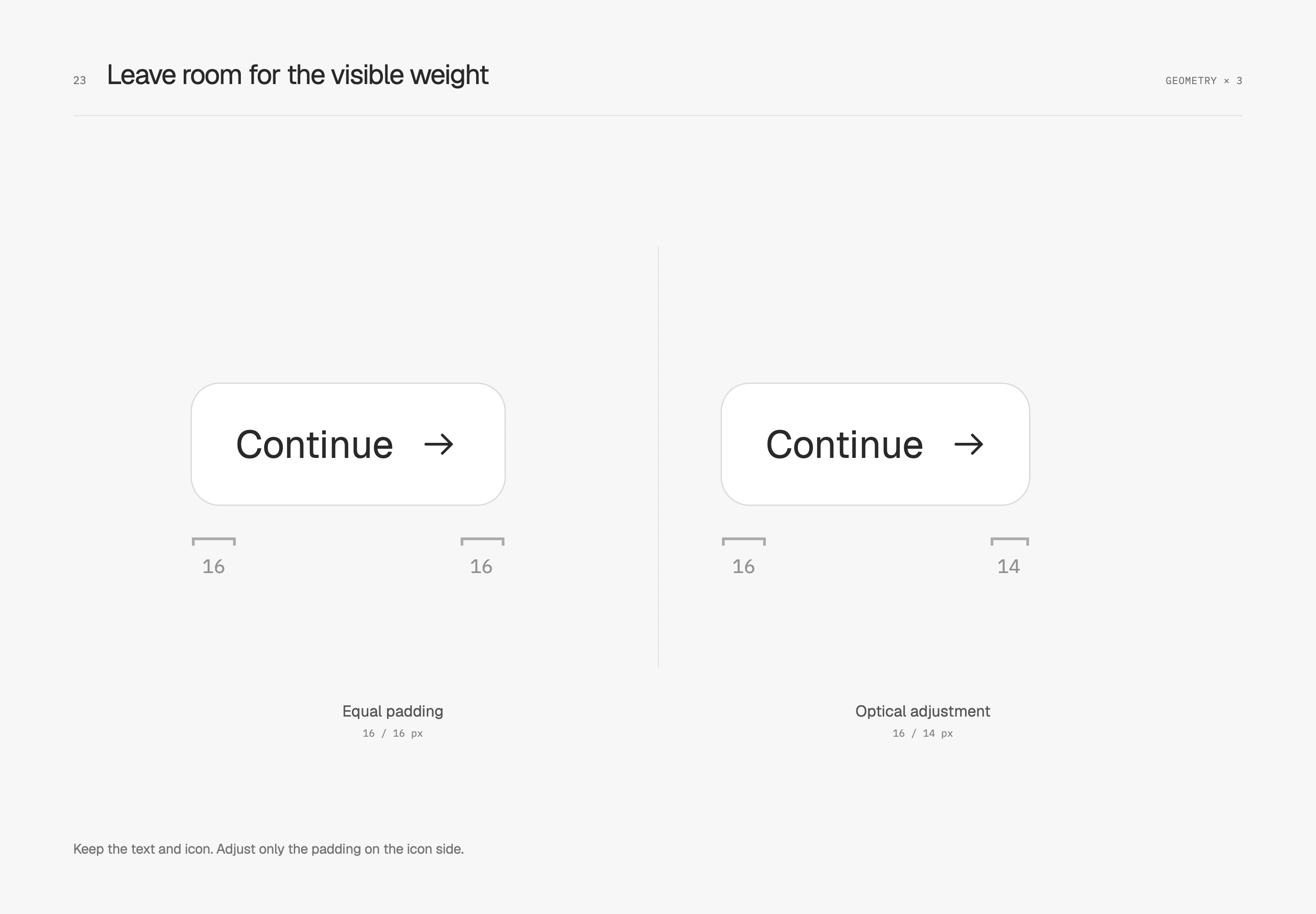
The 2 px adjustment belongs to this arrow and label. A filled icon, another typeface or an icon placed before the text requires a new look at the overall silhouette. If the icon is already offset within its own canvas, correcting the artwork first removes a layer of button-level compensation.
Reconsider stroke weight for small icons
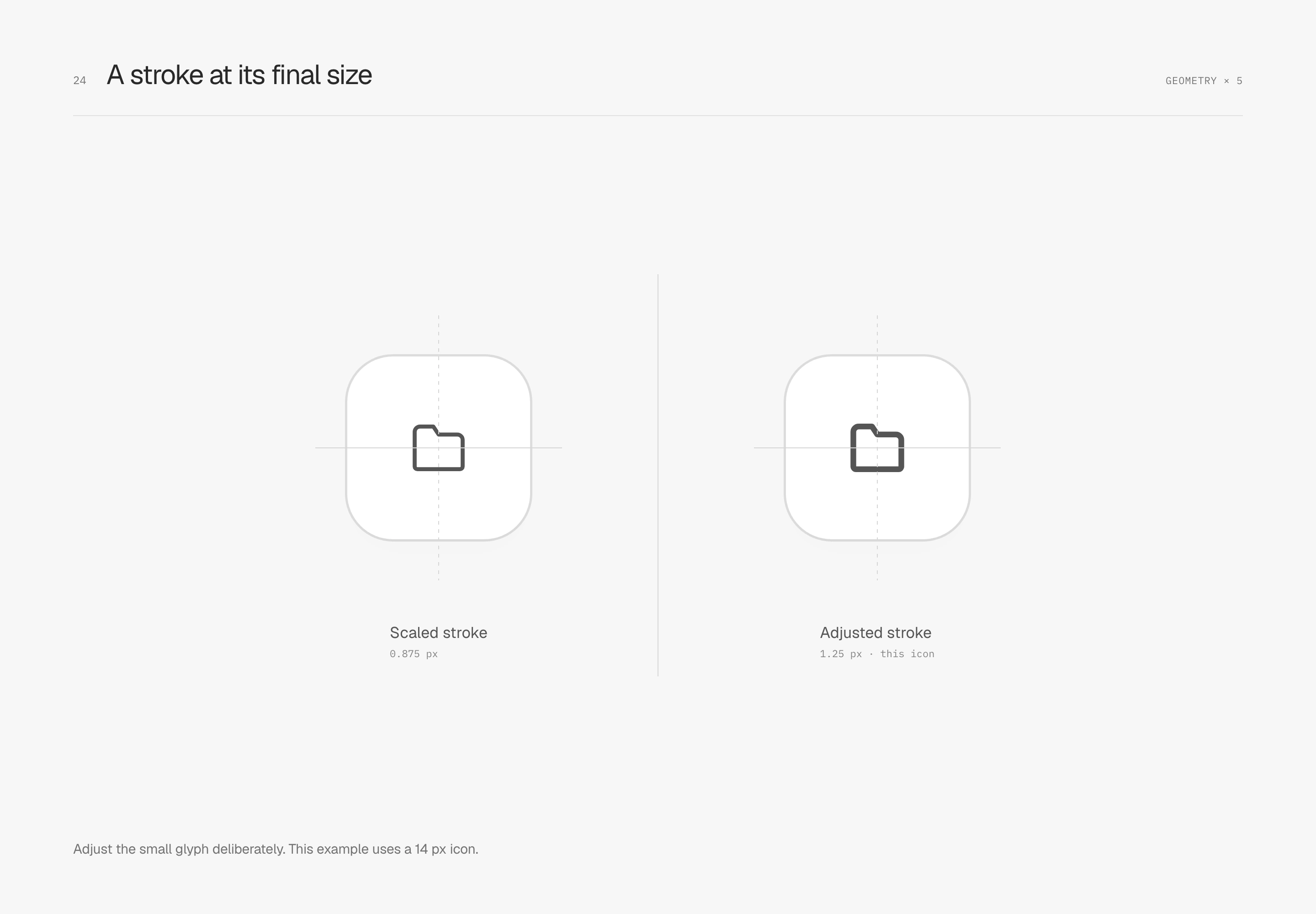
Stroke weight should not always scale with the entire icon. For this 14 px folder, the left proportionally reduces a 24 px original's 1.5 px stroke to 0.875 px. The right corrects it to 1.25 px. Shape dimensions remain unchanged; the final stroke is the variable.
At actual size, I inspect caps, corners, internal space and neighboring text together. The weight this icon needs may not suit a denser shape.
Give small labels their own tracking
Uppercase English labels often sit near numbers and headings. Crowded letters can turn small text into a heavy block. A little extra tracking can preserve a clearer rhythm.
This study keeps 10 px type, weight 500 and the same uppercase label, comparing only zero tracking with 0.05 em. Content beneath and its distance from the label remain fixed.
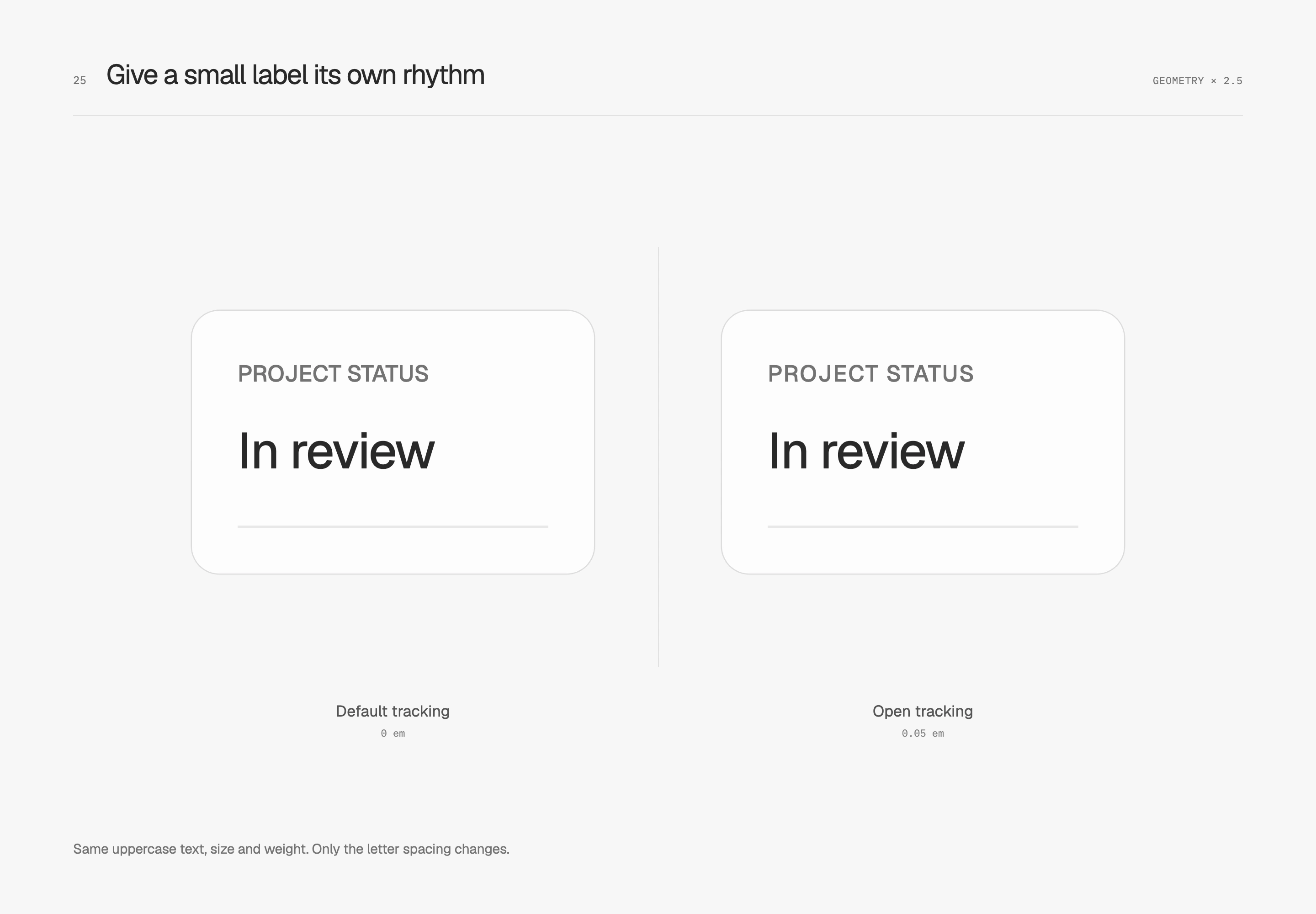
I judge tracking together with font size, weight and length. These uppercase labels benefit from some air, while small Traditional Chinese labels and body text have different visible densities. Each role needs its own weight, with the overall hierarchy kept simple.
I revisit the whole row after values update, the language changes, and text is enlarged. Correct text boxes, balanced glyphs, and aligned information require different checks. Small adjustments earn their place only when they hold up with real content.