
A photograph has an uneven edge: pale regions may disappear into the background while dark ones form a strong boundary. Overlapping avatars introduce another junction between adjacent images.
I finish the individual image first, then decide the group's width, separation and entry point. The outer ring and inner outline have different jobs; thickening one line cannot solve both.
This article has been reorganized and expanded from the original essay. Specimen values describe their particular conditions, not universal settings. For the series context and tools, see the overview.
Images and boundaries
Overlay a faint contour inside the image
An image can be nearly white along one edge and very dark along another. In a panel, its light areas may merge into the background while its dark areas create a strong edge of their own. I like a faint inset outline to bring these differing edge weights under control.
This specimen overlays a 1 px pure-black contour at 10% opacity inside the image, keeping dimensions, crop and radius unchanged. The contour blends with the existing pixels, making its effect more visible on light areas. It finishes the image boundary; an external container can still be arranged separately.
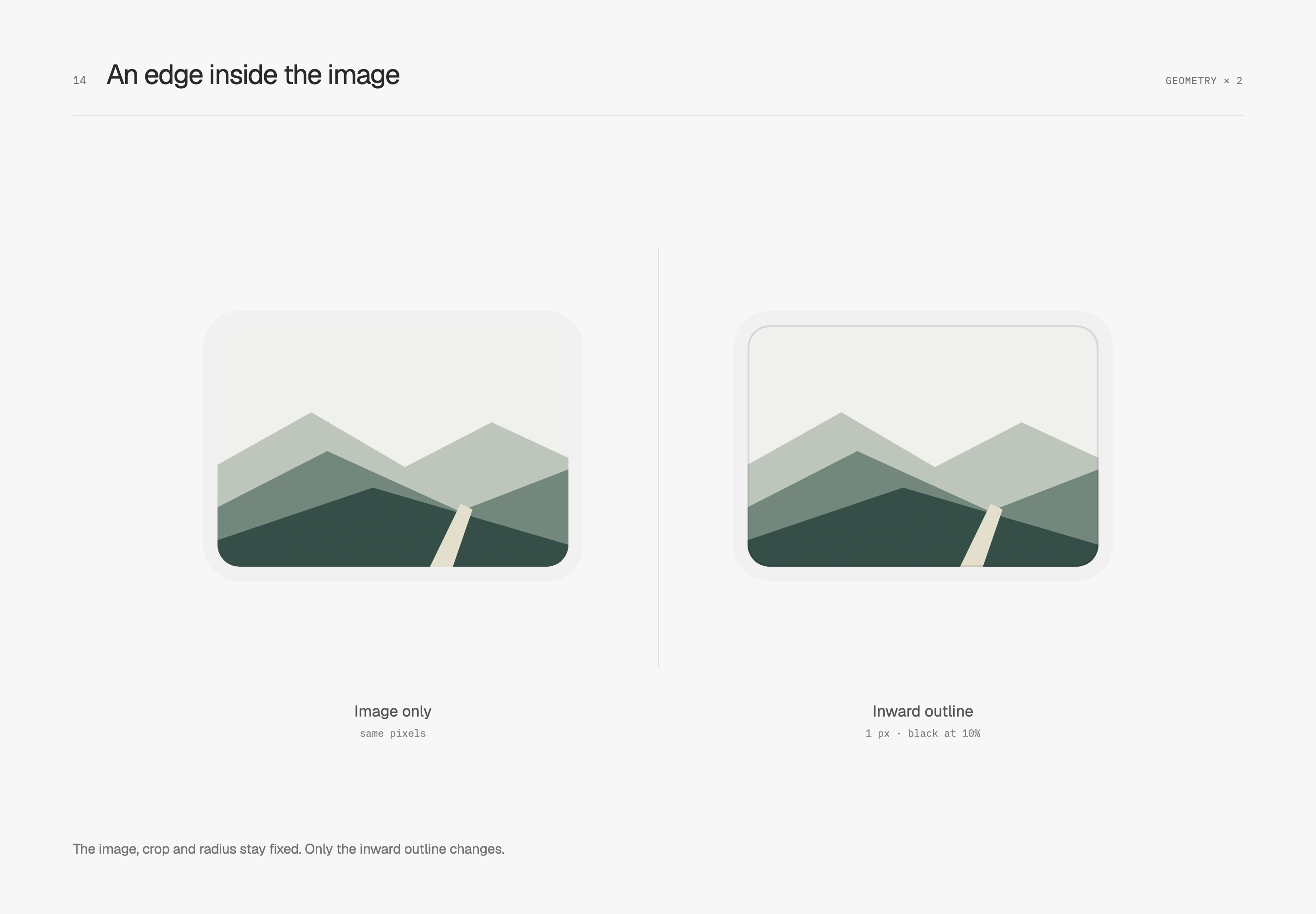
In a dark container, the specimen uses pure white at the same width and opacity to give dark image content a thin boundary. Both studies use the same original image so attention stays on the edge.
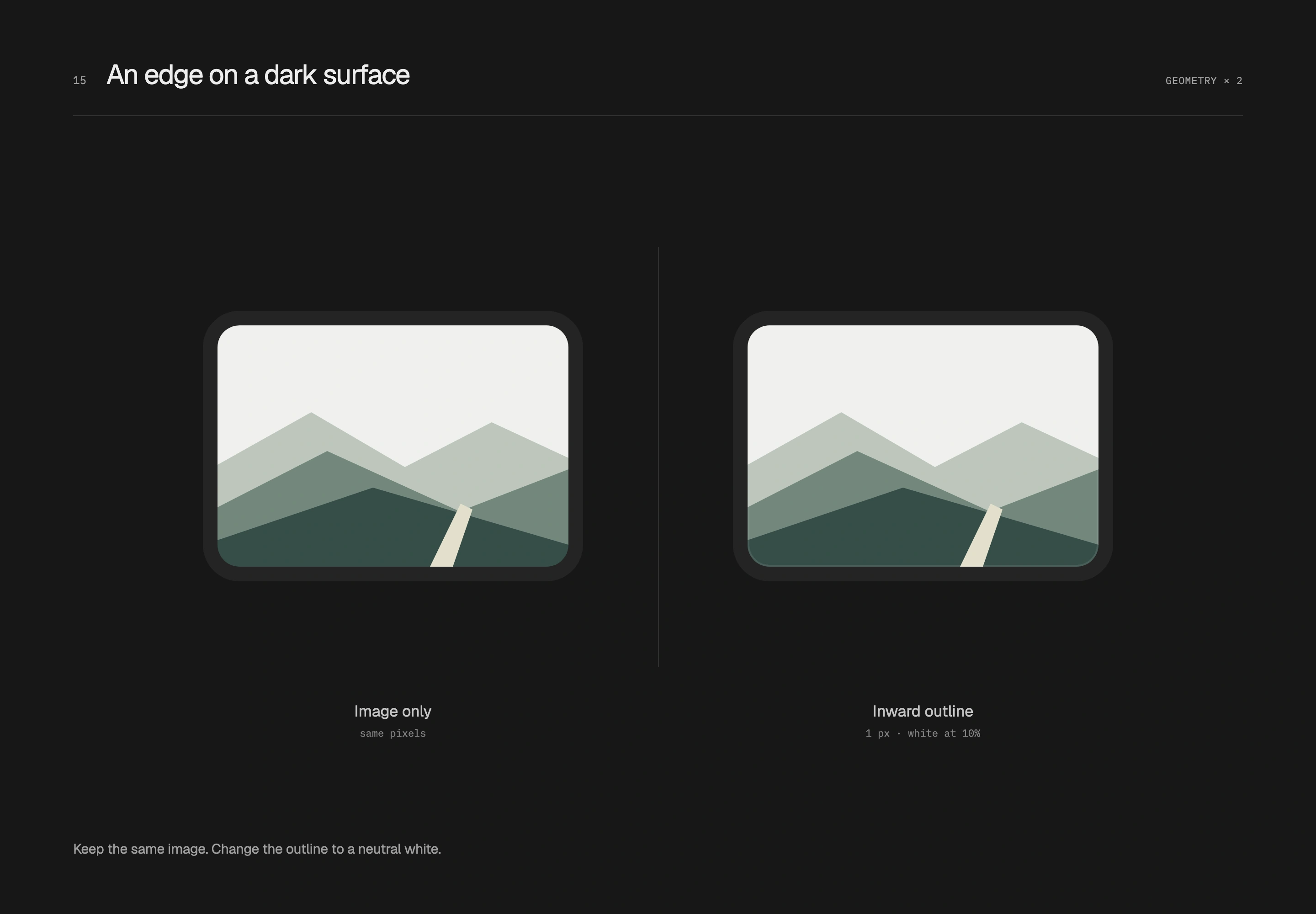
The image is R12, surrounded by 8 px of base inside an R20 container. The inset outline paints within the already-clipped image without taking extra space; outer-container spacing follows the existing layout. This works well for photos, screenshots and artwork with complete rectangular boundaries. Transparent logos and irregular illustrations can retain breathing room around their own silhouettes.
Avatars and entry points
With overlapping avatars, first measure the space saved
Multiple participants can be placed apart or partially overlapped. An avatar group shows who is involved; an avatar stack uses overlap to shorten the group's width. I use stacks in compact information rows. When each face needs to be identified individually, separate portraits and names can have more room.
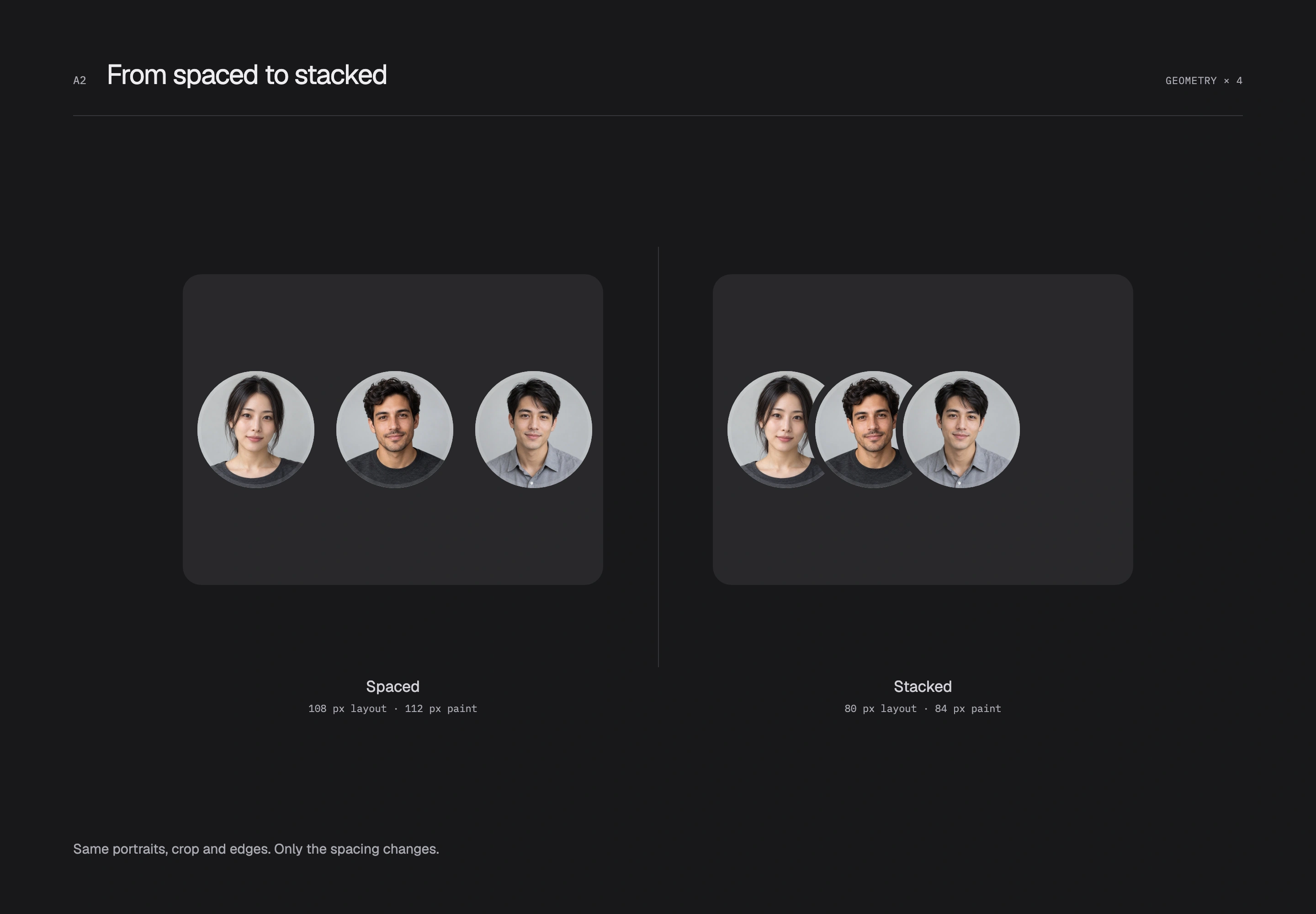
This study compares three original fictional portraits. All circular bodies are 32 px; the left uses 6 px gaps and the right 8 px overlaps. Photos, crops, inner strokes and 2 px outer separators stay fixed. Both groups start at the same position in matching display slots and share a vertical center.
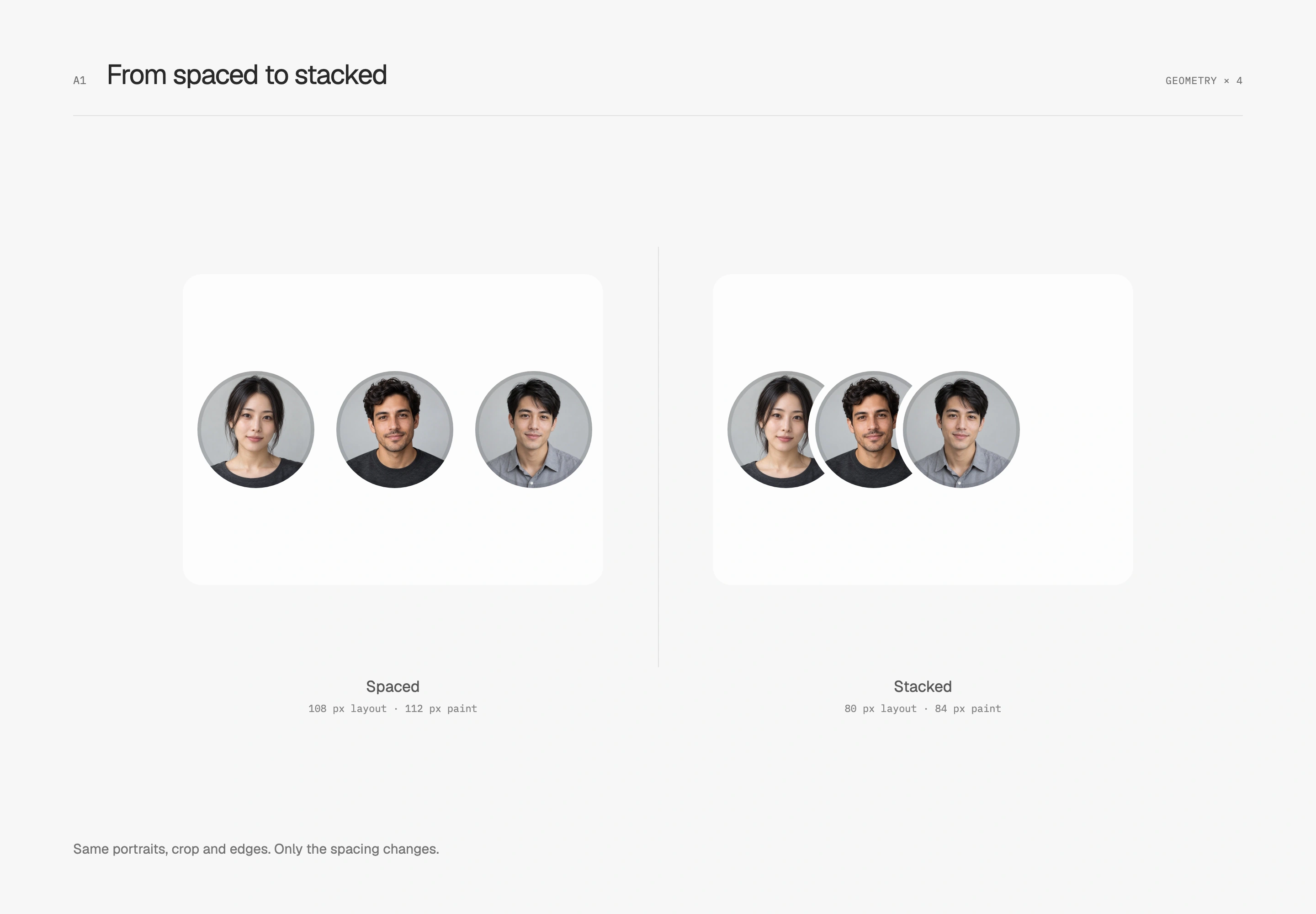
The three avatars' layout width therefore shrinks from 108 px to 80 px. Outer separators take no layout space but paint 2 px beyond each end, producing painted widths of 112 px and 84 px. These values belong to the illustrated three equal circles without physical borders. In a container, check that the outer rings are not clipped.
The dark version keeps the same arrangement and adapts edges to its host surface. This is a conceptual layout comparison. The final workspace already used a stack and retains its 22 px avatars with 5 px overlap; the row has not been enlarged for the demonstration.
Outer separation and inner image edges have separate jobs
Overlapping photos can merge at the join. An outer separation ring uses the opaque host-surface color to obscure the overlap and leave a recognizable gap. It does not raise the avatar. I want that gap to blend back into the host while the individual arcs remain visible.
This is why separators must follow states. A white card, a selected data row and a dark surface have different backgrounds. A fixed white ring on a dark surface introduces a bright edge unrelated to its host. On transparent or patterned backgrounds, one color cannot reconstruct the content beneath; use a true mask knockout or a non-overlapping arrangement. The live study chooses spacing on patterned backgrounds.
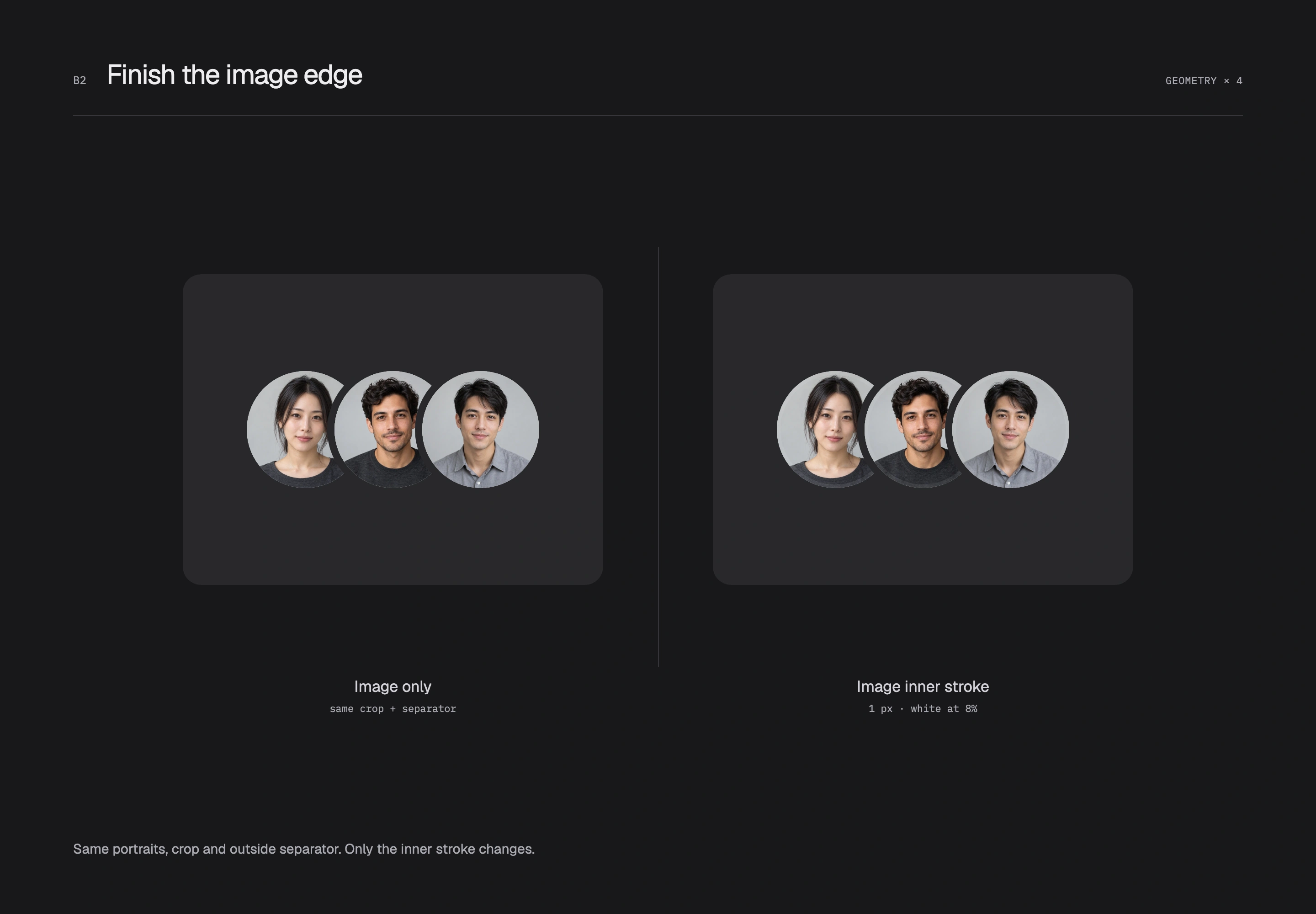
Inside each photo, the earlier inset-outline treatment supplies an image inner stroke. The next comparison fixes the stack and outer rings and changes only whether a 1 px pure-black inner edge at 10% opacity is present on the light surface. The line overlays the already-clipped photo without shrinking it or thickening its outer separator.
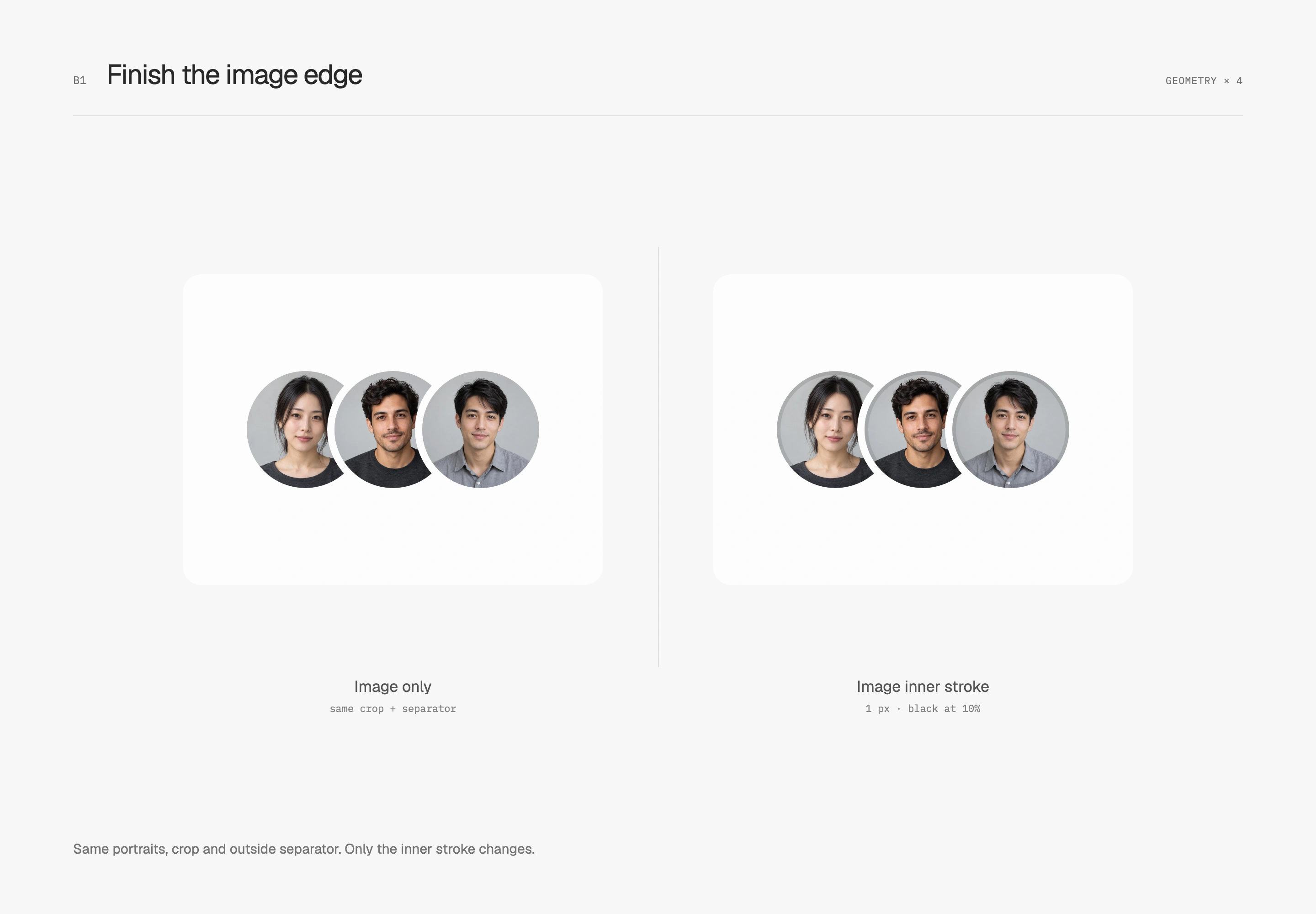
The dark inner-edge comparison uses 1 px white at 8% opacity. A decorative layer on the circular container paints above the photo; placing an inset shadow behind an opaque image may not produce the same visible result. I prefer this line to register only near the boundary, leaving faces and crops unchanged at the center.
Leave a useful entry point when people overflow
Visible avatars and the true participant count need separate handling. This prototype reserves four slots: seven people become three portraits plus +4, while four people remain four portraits. If a photo fails, initials or a fallback graphic retain the same dimensions. Neither numbers nor images should suddenly enlarge the circle.
When the full list needs to be available, I let the whole group open a participant list with room for readable names. Enlarging each overlapping small circle into its own hit area can make those areas cover one another. Separate action rows in the list make keyboard opening, closing and focus return more explicit. The live study lets you switch surfaces, arrangements, counts and failed images to inspect the separate roles of outer rings and inner edges.
The inner edge finishes the photo, the outer ring separates neighbors, and the overflow entry makes the full list reachable. Checking these jobs separately preserves recognition and usable space as the group grows or its background changes.