When a panel edge feels heavy, I first identify the dark area I am seeing: a contour, a contact shadow or the lightness of the whole surface. Adjusting them together can make the shape disappear as the shadow becomes lighter.
I prefer to establish the contour before deciding distance and material. These specimens begin with the width of one ring, then introduce depth, surfaces and translucency, changing only the relationship under examination.
This article has been reorganized and expanded from the original essay. Specimen values describe their particular conditions, not universal settings. For the series context and tools, see the overview.
Contours and depth
Narrow the same contour
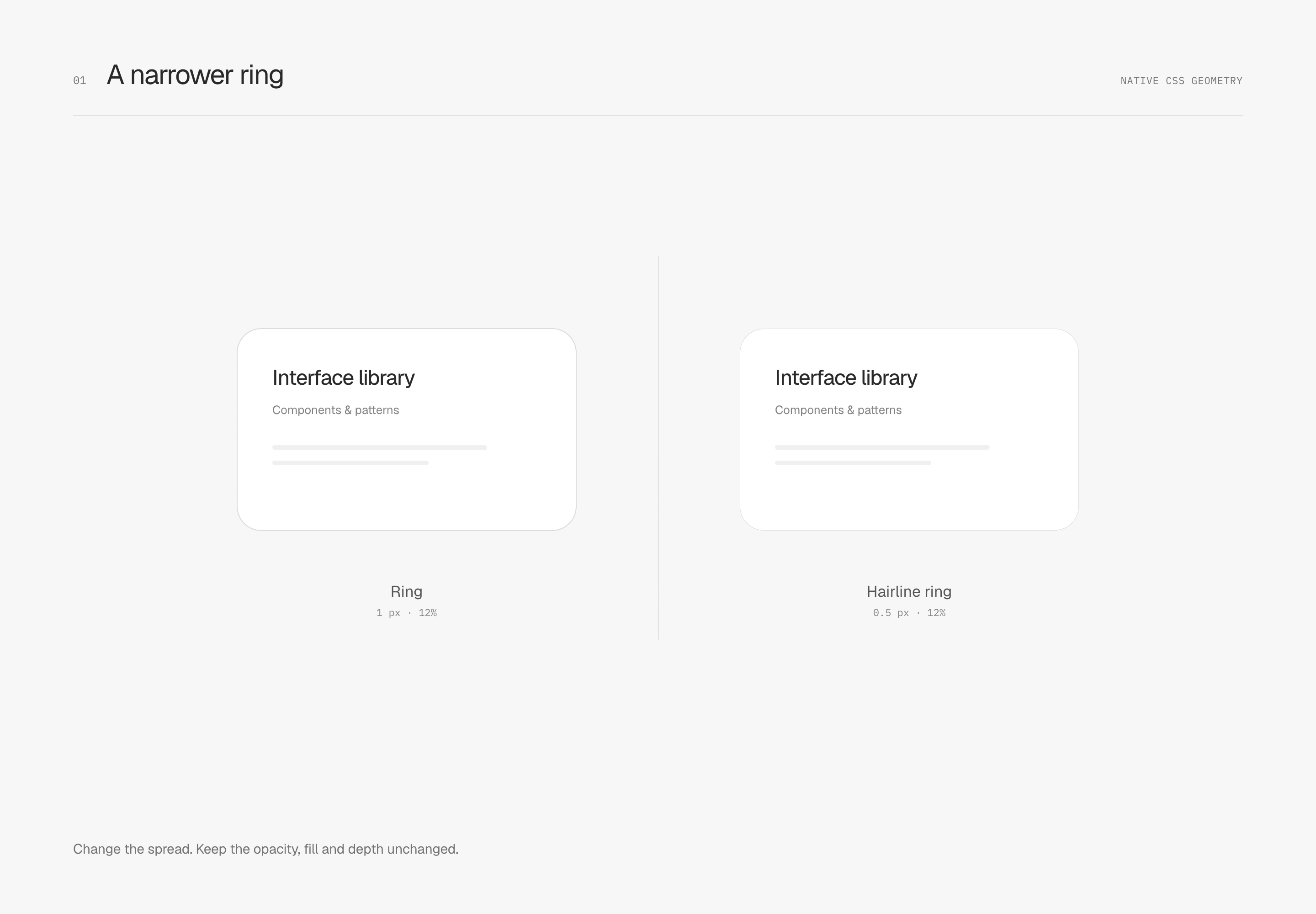
I want the panel to have a clear boundary without looking heavily framed. These specimens draw a ring with a zero-blur outer shadow and use separate shadows for depth. Ring width and opacity can change independently, preserving a crisp shape without taking up layout space.
First, change only the width and observe the visual weight. The first study reduces spread from 1 px to 0.5 px, keeping the dark color, 12% opacity, background and dimensions fixed, with no depth shadow. Here, hairline means making that same ring thinner; it adds no second line.
After narrowing, decide how clear it should be
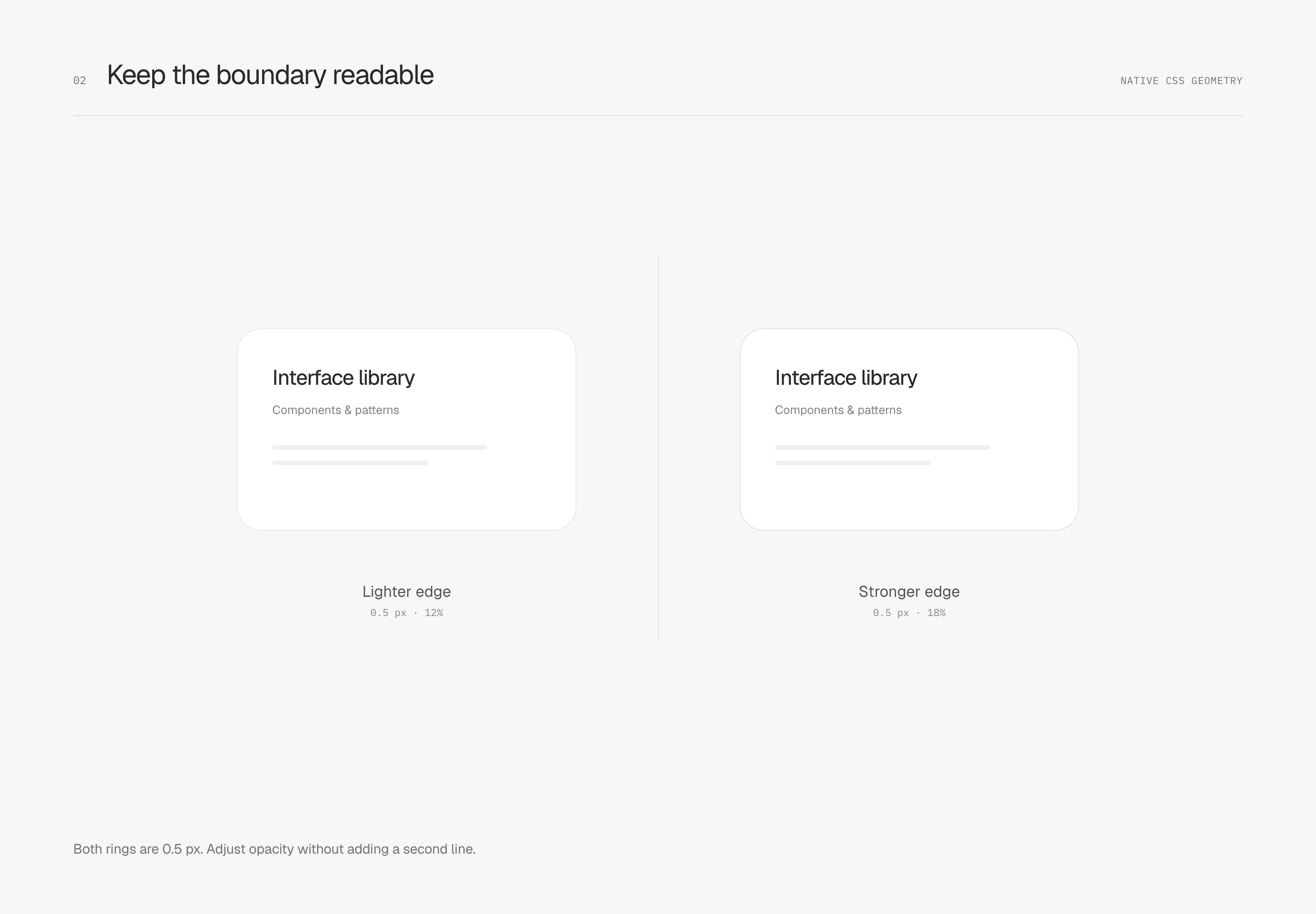
If the thinner contour needs more definition, adjust opacity next. The second study keeps 0.5 px and compares only 12% with 18%; shape, fill and shadows remain fixed. The right contour reads more clearly at the same width.
These solid surfaces still start with a 0.5 px neutral-dark ring at 12% opacity. The 18% specimen only examines compensation. Large panels, white selection inserts and glass have different backgrounds, so boundary strength needs judgment in each setting. Halving width does not prescribe a fixed opacity multiplier.
Where 0.5 px is used matters too. border-width aligns to device pixels, while fractional box-shadow spread may appear through partial pixel coverage. They are different rendering mechanisms. In the WebKit 1× check for these specimens, a 0.25 px ring produced no discernible straight-edge contour, and a 0.5 px ring could appear uneven between left and right. Inspect thinner contours at actual size, across pixel densities and zoom levels.
Distribute contrast along the contour
Visual weight can vary around a shape. The earlier ring keeps a uniform tone; this study distributes edge contrast along the contour, allowing some parts to recede and others to become more defined. I prefer to keep this variation within the narrow edge while the central surface remains quiet.
Both boundaries are 0.5 px wide. The left uses 12% opacity all around; the right varies from 6% to 18%. Surface fill, dimensions and the shape behind them are identical. The light specimen uses a dark contour, lighter at the upper left and stronger at the lower right, continuing through straight edges and corners.
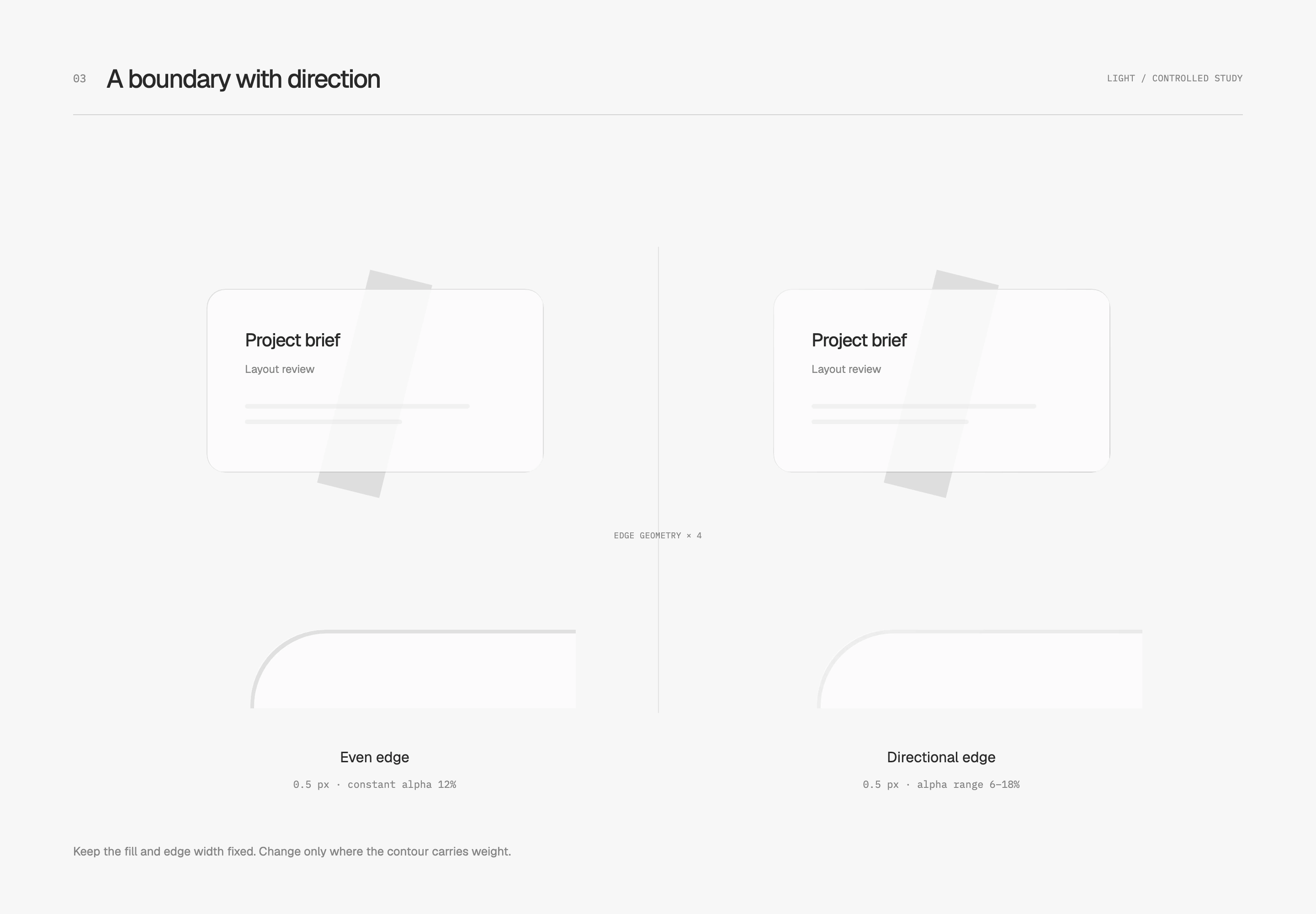
Mask compositing removes the center and leaves a narrow outer ring for the gradient to occupy. This continues the ring's role of defining the shape while giving the gradient control over contrast distribution. The diagonal gray strip behind the surface remains equally visible; the edge treatment does not darken the entire card along with it.
The dark specimen uses a light contour and reverses the contrast distribution: brighter at the upper left, fading toward the lower right, preserving the implied light direction. I judge it together with its base so that it describes the shape without surrounding it with an equally strong bright line.
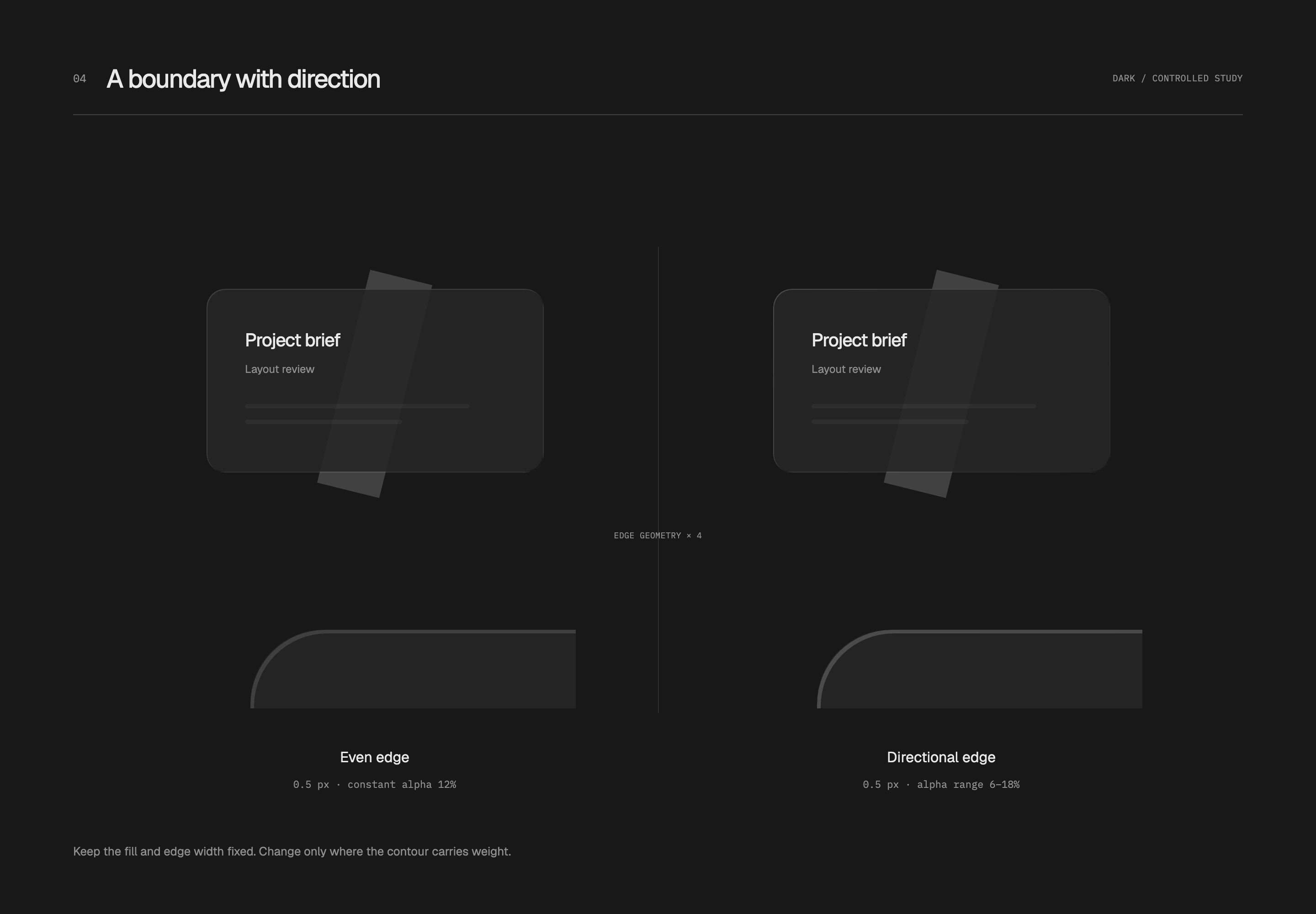
A fixed content surface can still use a uniform faint ring. Directional variation is better reserved for a few floating surfaces that need a material cue. Emphasizing the same corner on every card makes edges compete with content.
Let the contour define shape and shadows describe distance
With the ring defining the shape, depth shadows can step back. This specimen adds two layers: a near shadow offset 1 px, blurred 2 px and narrowed by a −1 px spread; a far shadow offset 3 px, blurred 8 px and constrained by a −3 px spread. Their opacities are 4% and 2%, respectively.
The near shadow establishes contact, while the far shadow softens back into the base. Judge this falloff together with the ring. A dark line building up along the lower edge usually calls for less near-shadow weight or a narrower extent. A gray haze around the entire card calls for checking the far shadow. I prefer a surface that feels settled, with clean space returning quickly beyond its edge.
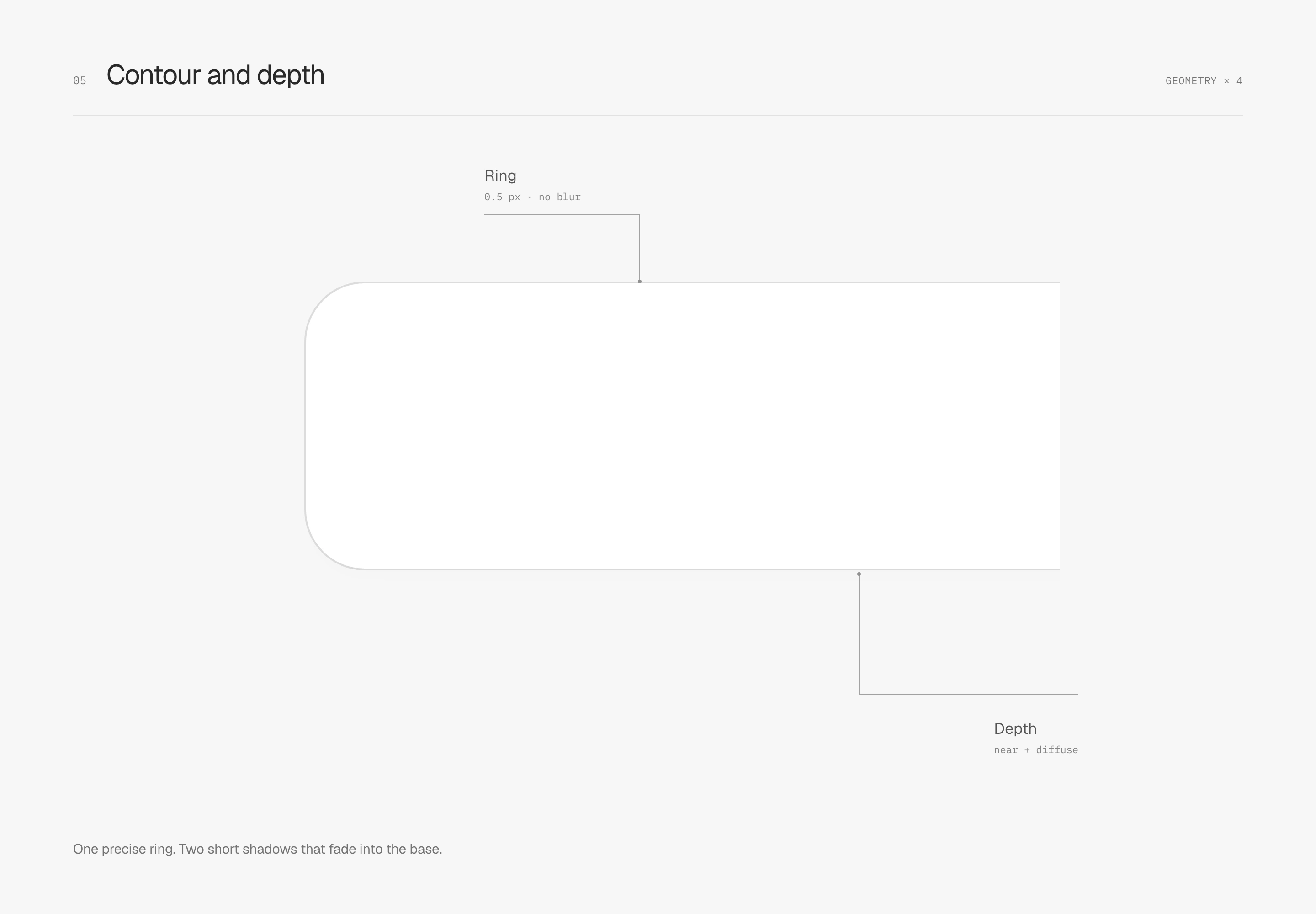
Solid surfaces no longer receive inner light by default. A near-white panel is already bright; adding white light to a darker track can create a hard luminous edge. I start with contour, fill and shadow, reserving light edges for details that genuinely need to communicate material.
On dark surfaces, establish lightness first
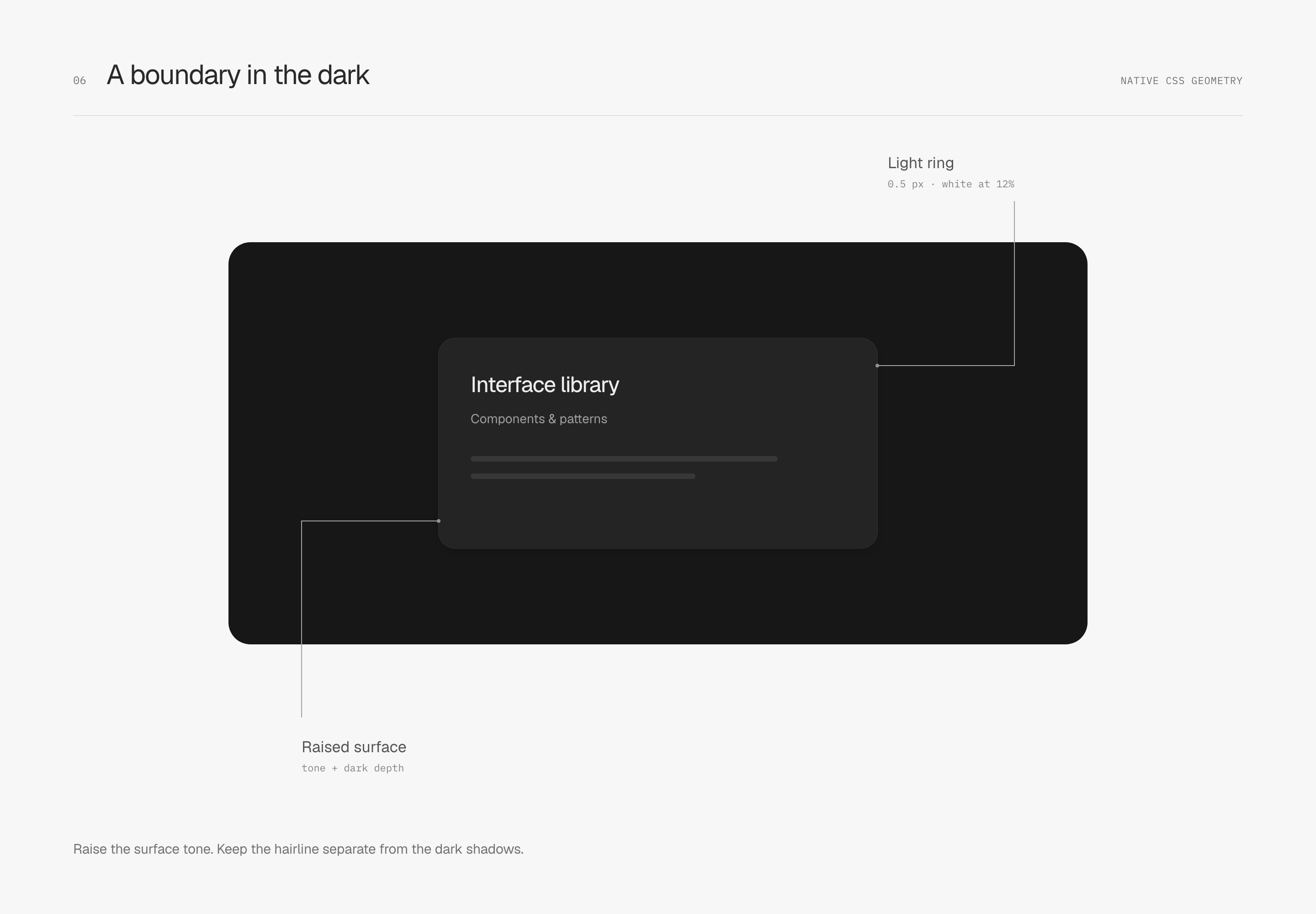
For a dark interface, I first make the upper surface slightly lighter. The illustrated base is #171717, the card is #242424, and a 0.5 px white ring at 12% opacity supplies the contour. Black depth shadows remain separate beneath it. Surface contrast establishes the card before the fine line completes its outline.
Surfaces and materials
Give similar whites different jobs
Surface hierarchy can begin with lightness. These light specimens use a #F7F7F7 canvas, an almost-neutral #F1F1F2 shell and a #FCFCFC content surface, reserving white for some action surfaces. The tint is minimal, and exposed area matters too: a narrow gray rim carries a different weight from a broad gray background.

Text still needs a clear hierarchy. Names, numbers and the current option stand firmly in dark tones; descriptions recede one level. I like quiet surfaces without making information difficult to find.
Ease a gradient back into the flat surface
When a surface needs some tonal variation, I look at how the gradient begins and returns to the base. An eased gradient changes the rate of variation through space: slower near the flat regions and faster between them, making the endpoints less conspicuous. The image itself remains still.
Both examples use the same neutral color, a maximum opacity of 16%, and a transition spanning 20% to 80% of the panel. The left fades to zero at a constant rate; the right uses an eased distribution. Both use 33 color stops and have the same opacity integral. The difference lies in where contrast is distributed, without reducing its total amount.
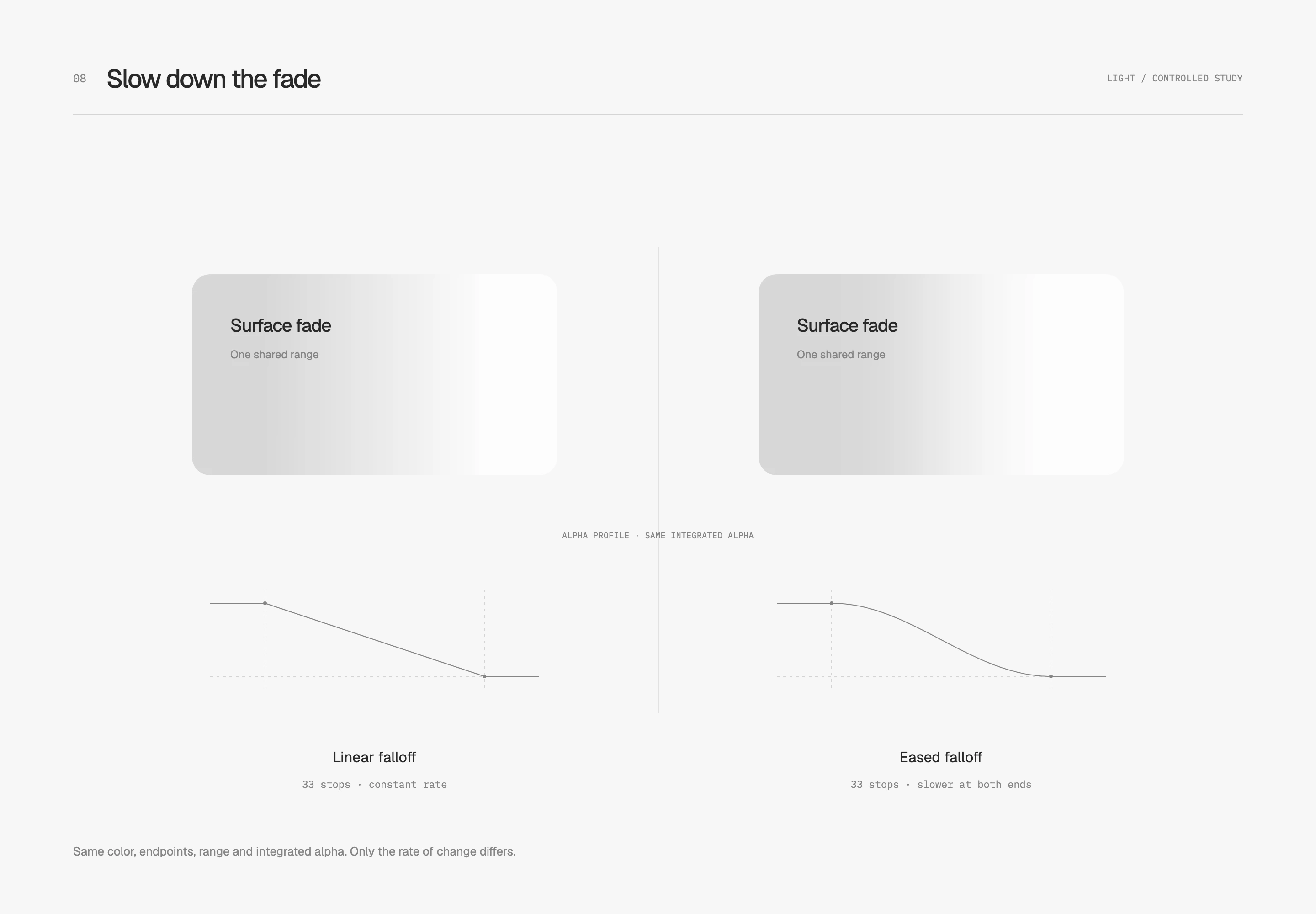
The linear gradient's rate of change stops abruptly when it reaches the flat region; the eased distribution slows progressively nearby. The dark comparison keeps the same relationship, letting the faint light merge back into dark gray.
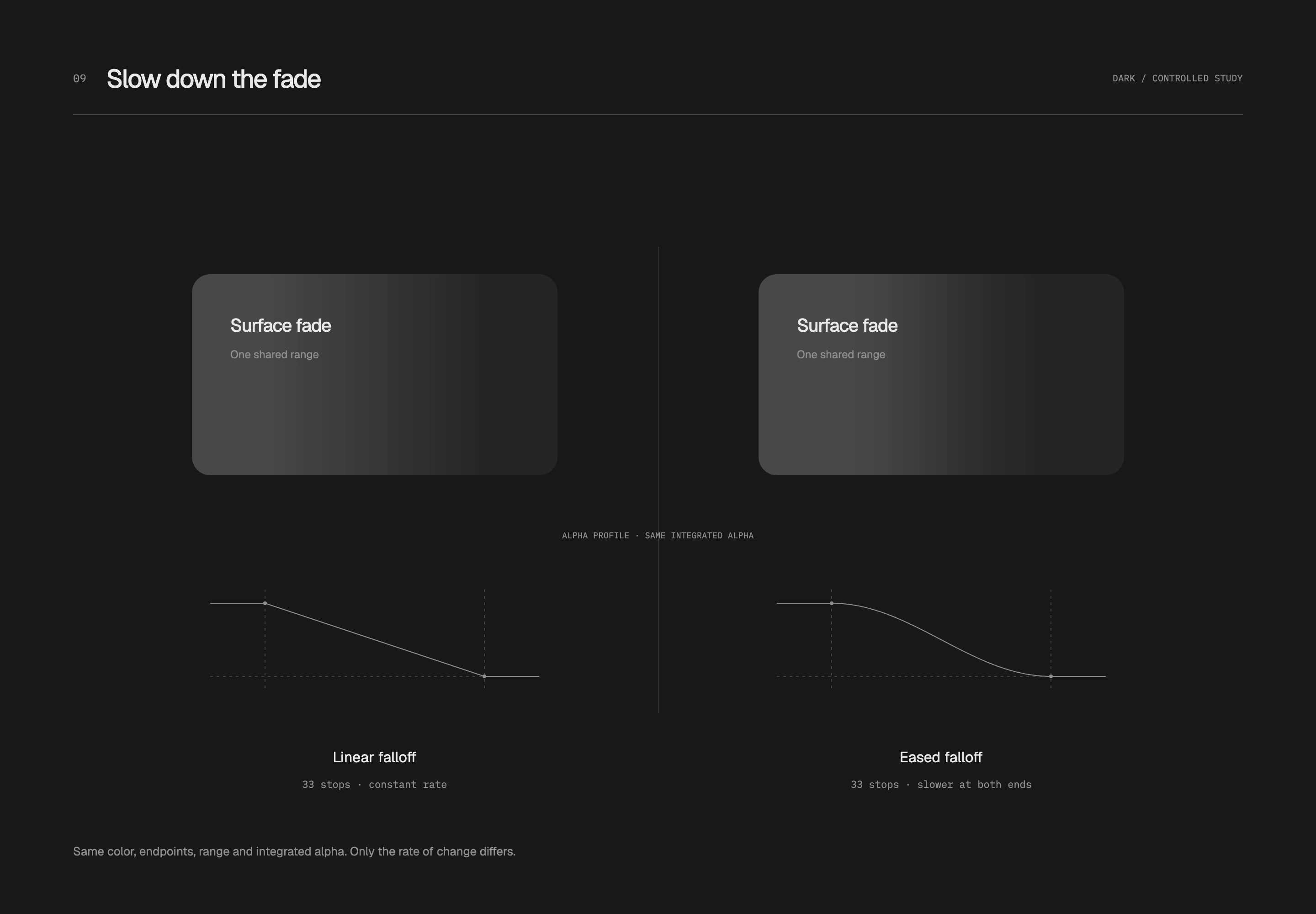
Intermediate stops approximate a smooth function; CSS still interpolates linearly between adjacent stops. The 16% value makes the difference easier to observe. In a restrained white interface, I would reduce its weight according to area and reserve it for small mask fades or material transitions. This study examines the falloff junction, not the number of stops as a universal cure for banding.
Give glass a specific place
I reserve a little glass for floating tools: a near-white fill at 72% opacity, 10 px backdrop blur, and clear foreground text and icons. The toolbar crosses the container's lower edge so that underlying tones can show through. Its placement avoids the main data rows and gives the material a real boundary to cross.
A 0.5 px neutral-dark ring at 6% opacity defines the glass, with only a softened hint of light inside. Three faint shadow layers connect the contact area to an outer 24 px blur, spreading the sense of suspension. This ring is lighter than on solid controls. A transparent surface already borrows background contrast without needing another dark frame.

I inspect it over the background it actually crosses. On all-white backgrounds, only the contour may remain; busy content underneath can interfere with text. This study shows translucency and softening without simulating physical refraction.
Back in the interface, I check whether the contour is recognizable, whether shadows explain distance, and whether the material gets in the way of content—in that order. This gives each adjustment a purpose. Half-pixel widths and opacity values remain starting points to reassess against the actual background.